Skip to content


Credit Invoice Meaning: What It Is and Why It Matters
Defining a Credit Invoice vs. a Standard Sales Invoice
Understanding the credit invoice meaning starts with clarifying what is a credit invoice compared with a routine sales bill. A standard invoice records a sale and requests payment, as shown in how sales invoices work. A credit invoice, sometimes called a credit memo, does the opposite: it reduces or cancels the amount previously billed, effectively showing a negative balance that the seller now owes the buyer.
| Attribute | Credit Invoice | Standard Sales Invoice |
|---|---|---|
| Core Purpose | Reverse, reduce, or refund a prior charge | Record and request payment for a new sale |
| Balance Direction | Negative (decreases A/R) | Positive (increases A/R) |
| Typical Triggers | Returns, pricing errors, volume discounts, damaged goods | Delivery of goods or completion of services |
| Customer Impact | Lowers or eliminates amount due | Establishes amount customer must pay |
| Record-Keeping | Must link to the original invoice for audit clarity | Stand-alone document initiating the sale |
Although people use the phrases credit invoice vs credit note interchangeably, many accounting systems label customer-facing documents “credit invoices” and internal adjustments “credit notes.” Regardless of terminology, knowing when to issue a credit invoice—for instance, after a product return—helps you stay compliant with tax rules outlined in the different types of invoices guide.
Because the layout mirrors a normal bill, the credit invoice format is easy to prepare with customizable invoice templates or a downloadable credit invoice template. Industry-specific rules, highlighted in our invoice resources by industry, may dictate extra fields such as restocking fees or serial numbers.
Accurate documentation matters beyond day-to-day operations. Linking every credit to its original sale, related purchase invoices, and your invoice books and other billing records keeps auditors happy and ensures your paid invoice records stay consistent for year-end reporting.
Real-World Credit Invoice Example to Illustrate the Concept
Imagine a consulting firm that issues a $1,000 service bill but later discovers two hours were double-counted. To correct the overcharge, the firm creates a credit invoice example for $200. The document references the original invoice number, states “Billing correction,” and shows a –$200 line item. After applying the credit, the client’s payable balance falls to $800.
In cloud software like QuickBooks, you would select “Create Credit Memo,” list the –$200 adjustment, and follow the prompts for how to apply credit memo to invoice in QuickBooks Online (also phrased how to apply credit to invoice in QuickBooks Online). The system then nets the two documents automatically, preserving an auditable paper trail.
If you need to draft similar paperwork quickly, use the free invoice generator or tap the Probill Invoice maker app on iOS. Alternatively, head to Create Invoice to create a professional invoice and consult service invoice documentation for line-item hints. For additional samples across industries, see our curated invoice examples.
When to Issue a Credit Invoice & Stay Compliant

Common Scenarios Requiring a Credit Invoice (Returns, Discounts, Errors)
Knowing when to issue a credit invoice starts with spotting events that reverse or shrink a previously recorded sale. Because the document offsets revenue logged in your accounting system, every instance must be clearly tied to the original bill—see how sales invoices work for context.
- Product returns: If a customer ships items back due to damage or dissatisfaction, issue a credit using the same credit invoice format found in your saved invoice templates.
- Volume or loyalty discounts applied after billing: Many businesses retro-price orders once totals hit a threshold; a negative invoice captures the rebate without deleting the first record.
- Pricing or quantity errors: Mis-keyed unit costs, duplicate time entries, or wrong tax rates call for prompt correction rather than editing the original file, preserving an audit trail in your invoice books and other billing records.
- Service scope reductions: For professional firms, an amended contract or canceled milestone should be reflected with a credit; the nuances are detailed in our service invoice documentation.
- Warranty or quality allowances: Manufacturing and retail sectors—outlined in the invoice resources by industry hub—often compensate buyers for defects via credit instead of cash.
- Currency or tax recalculations: Exchange-rate swings and late VAT/GST rulings can trigger downward adjustments; referencing related purchase invoices keeps both sides of the ledger balanced.
You can tailor each credit invoice template in seconds with the free invoice generator or the mobile-friendly Probill Invoice maker app. For a quick refresher, skim real-world invoice examples that show the correct negative amounts and cross-references.
Legal and Tax Regulations You Must Follow in Your Region
Compliance rules vary, but most jurisdictions echo three core requirements:
- Reference the original invoice number so auditors can trace the reversal. Keeping digital links between the source bill, the credit, and resulting paid invoice records shortens audits.
- Issue the document within the statutory window—often 30 days after discovering the error or return—to stay inside VAT or sales-tax guidelines.
- Report credits in the same tax period as the adjustment. For example, EU businesses must declare negative VAT on the next return, while U.S. sellers reduce state sales tax in the filing that covers the credit date.
Terminology also matters. Some regions reserve the label “credit note” for supplier-side adjustments, while customer-facing documents are called credit invoices—see the discussion on credit invoice vs credit note in the different types of invoices guide.
Cloud platforms simplify compliance. In QuickBooks, select “Create Credit Memo,” then choose how to apply credit memo to invoice in QuickBooks Online (also known as how to apply credit to invoice in QuickBooks Online) to link the two records automatically. Apps like Create Invoice let you configure regional tax fields and generate reports, ensuring every credit invoice meaning aligns with local statutes while still letting you create a professional invoice whenever new sales occur.
Credit Invoice Format: Key Elements, Layout Tips, and a Free Template
Essential Fields Every Credit Invoice Must Include
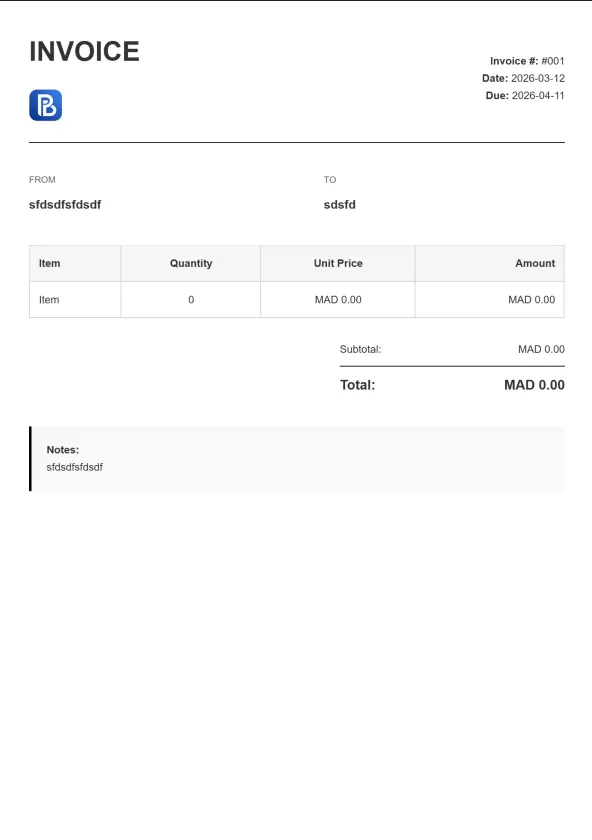
A clear structure keeps credits traceable in your accounting software and your paper trail of invoice books and other billing records. The table below lists the core fields you should place in roughly the same order on every document—whether you build it in Excel or the free invoice generator.
| Required Field | Purpose & Audit Note |
|---|---|
| Credit invoice number | Provides a unique identifier that links to your paid invoice records; use a separate sequence from standard sales bills, as outlined in how sales invoices work. |
| Issue date | Determines the tax period in which the reduction is reported. |
| Customer name and address | Matches details on the original sale for quick reconciliation. |
| Original invoice reference | Shows auditors when to issue a credit invoice was triggered and prevents duplicate adjustments. |
| Reason for credit | Brief line such as “Damaged return” or “Pricing error”; aligns with the “credit invoice meaning” in local regulations. |
| Negative line items | List SKU, description, quantity, and unit price exactly as they appeared on the first bill, but enter values as negatives. |
| Tax breakdown | Display VAT/GST or sales tax per line if required; mirror the original tax codes so systems like QuickBooks can correctly net amounts when you follow steps for how to apply credit memo to invoice in QuickBooks Online. |
| Adjusted subtotal, tax, and grand total | The grand total should be negative when money is owed back or zero when the credit fully cancels the sale. |
| Payment or refund instructions | Bank details, card reversal info, or the note “Applied to account” depending on whether you’ll refund or offset a future charge. |
| Authorized signature/contact | Confirms approval and gives customers a point of contact if questions arise. |
Including optional cross-references—such as purchase-order numbers from related purchase invoices—adds another layer of transparency, especially in B2B settings.
Downloadable Credit Invoice Template and Customization Best Practices
You don’t need to design the layout from scratch. Head to invoice templates and download the dedicated credit invoice template (Word, Excel, or Google Sheets). For instant editing online, open the free invoice generator and pick “Credit Invoice” from the document type menu; the tool automatically formats negative totals so you can immediately create a professional invoice or credit with zero coding.
- Replace the placeholder logo, colors, and fonts with your brand assets.
- Fill in the required fields listed above, making sure the reason and original invoice number are crystal clear.
- Use “Save as template” so your layout remains available in the browser, the desktop file, or the mobile-friendly Probill Invoice maker app.
- Before sending, preview the PDF to ensure column alignment on both desktop and mobile; responsive formatting matters if customers will view credits on their phones.
- Archive each finalized file in your document management system alongside the linked sale; this keeps your invoice resources by industry and sector-specific documents organized for audits.
Need inspiration? Browse practical invoice examples to see how other businesses handle returns and allowances. Service firms can adapt the template further by following the layout tips in our service invoice documentation, while manufacturers can check the “Returns” guidance inside the different types of invoices hub.
Finally, remember that a credit invoice is still an official tax document. Keep the digital file and any refund confirmations together with the matching sale inside your accounting platform; doing so keeps your credit invoice vs credit note history clear and ensures regulators can reconcile every adjustment back to your paid invoice records.
Step-by-Step: How to Apply Credit to an Invoice in QuickBooks Online
How to Apply Credit Memo to Invoice in QuickBooks Online (Classic Workflow)
Follow this sequence in the old, green-toolbar interface to net a credit memo against an outstanding bill:
- Open the customer list and confirm a credit memo already exists. If not, choose + New → Credit Memo, complete the form (you can base it on your saved invoice templates or import a file from the free invoice generator), and save it.
- From + New, select Receive Payment.
- Choose the customer. QuickBooks displays all open transactions for that account, including the unpaid invoice and the newly created credit.
- Tick the checkbox beside the invoice you want to reduce.
- Tick the checkbox beside the credit memo. QuickBooks automatically applies the credit amount and recalculates the balance due.
- Verify that the Remaining field is $0 (or the expected residual amount if the credit only covers part of the charge).
- Select the payment method “Credit” (no cash moves) and confirm the date so it lands in the correct tax period—important when regulators review your paid invoice records.
- Click Save and Close. The system links both documents, preserving an auditable trail that supports the credit invoice meaning and keeps your invoice books and other billing records tidy.
This workflow works the same whether the original sale was a product order or a service bill generated through the guidance in our service invoice documentation.
Troubleshooting: How to Apply Credit to Invoice in QuickBooks Online New Interface
Intuit’s recent UI overhaul renamed several buttons, so credits can appear to “vanish.” If the + New → Receive Payment path doesn’t show your memo, check the following:
Customer mismatch
Make sure the memo and invoice share the exact customer record, not a similarly spelled duplicate. Merge or edit as needed before retrying how to apply credit to invoice in QuickBooks Online.Date filters
The redesigned payment screen defaults to the current month. Expand the “Due Date” filter or switch to All so credits outside the range display—essential when the when to issue a credit invoice window crosses month-end.Partially applied credits
Open the invoice, click More → Transaction Journal. If you already linked a memo in error, delete the line to free up the credit.Multicurrency or tax mismatches
Credits issued in a different currency or VAT code will not appear. Review the memo’s tax settings against the original sale (see how sales invoices work) and edit where necessary.Memo set to “Refund” instead of “Available Credit”
In the new layout, a dropdown at the bottom of the memo decides whether the amount is returned as cash or left on account. Select Available Credit so it can offset the invoice.Mobile app limitations
The QuickBooks mobile app still lacks full credit-application features. If you’re on the go, create the memo in the app, but log in via browser later—or generate a compliant note quickly with the Probill Invoice maker app and upload it.
After resolving the issue, repeat the steps under + New → Receive Payment to link the memo. Once the balance reads $0, both documents close automatically, mirroring the tidy credit invoice format you’d achieve with the Create Invoice platform or any downloaded credit invoice template. If you still can’t locate the memo, re-run the credit invoice example from scratch using + New → Credit Memo, double-checking every field before saving.
Credit Invoice vs. Credit Note: Spot the Differences and Pick the Right Document
Purpose, Timing, and Accounting Impact Compared

Although many professionals treat the terms interchangeably, a few subtle differences influence compliance and reporting. The table below highlights the core distinctions so you can choose the correct label in your accounting system or when exporting via tools like the free invoice generator.
| Attribute | Credit Invoice | Credit Note |
|---|---|---|
| Primary Audience | Customer-facing adjustment that shows a negative balance on their account | Internal or supplier-side document that updates the seller’s records |
| Typical Trigger | Over-billing, returns, post-invoice discounts | Vendor price changes, stock write-backs, or internal bookkeeping corrections |
| Posting Timing | Issued as soon as the seller confirms the change, often before cash changes hands | Logged after internal review, sometimes at period-end to tidy ledgers |
| Effect on Accounts Receivable/Payable | Decreases A/R; links directly to the original sale in your paid invoice records | Reduces A/P or adjusts revenue without necessarily notifying the customer |
| Regulatory Reference | Often required by tax authorities for VAT/GST reversals; format mirrors sales bills—see the standard credit invoice format | Rarely prescribed by law; format is flexible if it supports audit trails in your invoice books and other billing records |
| Common File Name in Software | “Credit Memo” or “Credit Invoice” (e.g., how to apply credit memo to invoice in QuickBooks Online) | “Credit Note,” “Journal Credit,” or “Vendor Credit” |
Using the wrong document title seldom breaks the ledger, but aligning the credit invoice meaning with the definition above speeds audits and keeps the paper trail clear for tools like Create Invoice.
Which One Should You Use in Common Business Scenarios?
When deciding when to issue a credit invoice versus a note, match the document to the counter-party and reporting need.
• Customer product return or service re-scope
Issue a credit invoice so the buyer instantly sees the negative amount and you can apply it to the open bill using steps for how to apply credit to invoice in QuickBooks Online.
• Supplier sends lower-than-expected final price
Record a credit note in Accounts Payable to cut the liability; there’s no customer impact.
• Period-end inventory shrinkage adjustment
A credit note adjusts internal cost-of-goods accounts; no external invoice is reversed.
• Retroactive volume rebate to a large client
Send a formal credit invoice backed by your branded invoice templates, or generate it in seconds with the Probill Invoice maker app.
• Reciprocal billing error between partners
Each side may raise a credit invoice to zero out mutual charges, ensuring both purchase invoices and sales entries reconcile.
If you’re unsure, ask which ledger—A/R or A/P—needs the adjustment and whether the counter-party requires documentation. That simple check steers you toward a customer-visible credit invoice or an internal credit note, keeps your entries compliant with the different types of invoices guidelines, and maintains accuracy across industry-specific rules detailed in our invoice resources by industry.
Frequently Asked Questions About Credit Invoices
Do I Need to Issue a Credit Invoice for Partial Refunds?
Yes. Whenever you reduce the amount originally billed—whether for returned items, post-sale discounts, or pricing corrections—you must document the adjustment with a formal credit invoice. Using a pre-built credit invoice template keeps the credit invoice format consistent and traceable, and most tax regulators treat even small partial refunds as one of the key moments when to issue a credit invoice.
How Long After the Original Sale Can I Send a Credit Invoice?
The window varies by jurisdiction, but many VAT/GST rules require you to issue the credit within 30 days of discovering the error or receiving the return. Check the industry-specific timelines listed in the invoice resources by industry hub, then create and date the document promptly so it lands in the correct tax period and ties back to your paid invoice records.
Can I Cancel a Credit Invoice Once Issued?
You generally shouldn’t delete or void a credit invoice because it forms part of the official audit trail. If circumstances change, issue a new sales or debit document that offsets the first credit and reference both in your invoice books and other billing records. Accounting software such as QuickBooks lets you reverse an unintended credit by creating a correcting memo, then following the steps for how to apply credit memo to invoice in QuickBooks Online to net the two records.
Is a Credit Invoice the Same as a Credit Memo?
In most accounting platforms what is a credit invoice is identical to a credit memo; the terms are interchangeable for customer-facing adjustments. The real distinction in practice is credit invoice vs credit note, which some regions use to separate customer documents from supplier-side entries—see the comparison chart in the different types of invoices guide.
How Do Credit Invoices Affect VAT/GST Reporting?
A credit invoice reduces the taxable amount of the original sale, so you must reflect the negative VAT/GST on your next return. Ensure the document references the source invoice and shows the corrected tax breakdown; this linkage is critical for auditors and mirrors the workflow in how sales invoices work.
What Records Should I Keep After Sending a Credit Invoice?
Retain the PDF or printed copy of the credit, any related emails or shipping proofs, and system logs showing how to apply credit to invoice in QuickBooks Online (or other software). Store these alongside the original sale in your paid invoice records and back them up digitally through platforms like Create Invoice or the mobile-ready Probill Invoice maker app. Keeping the full credit invoice example chain intact simplifies future audits and supports compliant VAT/GST claims.