Skip to content

What Is an Invoice Book? Meaning & Modern Relevance
Defining an Invoice Book: From Paper Pad to Digital Record
An invoice books is a bound pad of pre-printed forms that lets you handwrite sales invoices on the spot. This classic tool captures transaction details in real time and provides an immediate receipt, making the invoice book meaning easy to grasp for anyone wondering what is an invoice book in everyday business.
Common invoice book types include:
- Single-copy books for informal receipts
- Duplicate invoice book pads that create one customer copy and one seller copy
- Triplicate books that add an internal accounts copy
- Carbon copy invoice book styles that use carbon sheets or modern carbonless paper to duplicate writing automatically
- Numbered or custom invoice book options tailored to branding and industry needs
While paper still rules job sites and market stalls, many firms now transfer handwritten data into digital tools. The shift is seamless thanks to platforms like the Probill Invoice maker app, the online Create Invoice workspace, or the quick-fire free invoice generator. These solutions store each form as a searchable file, reducing paper clutter without abandoning familiar workflows.
Design flexibility has grown too. You can start from blank paper pads or download professional invoice templates and adapt them into books. Many companies print ready-to-use invoice templates onto carbonless sheets, while others keep digital backups with printable invoice templates in PDF format. Sector-specific layouts in the invoice resources by industry library simplify compliance for trades, creatives, and professional services.
Knowing how to fill invoice book pages accurately is still vital. Guides such as how to fill out an invoice correctly break down each field, and checklists of the essential information an invoice should include help avoid costly omissions. Don’t forget the importance of invoice dates; clear dating synchronizes paper records with accounting software and prevents disputes.
Why Small Businesses Still Rely on Manual Invoice Books
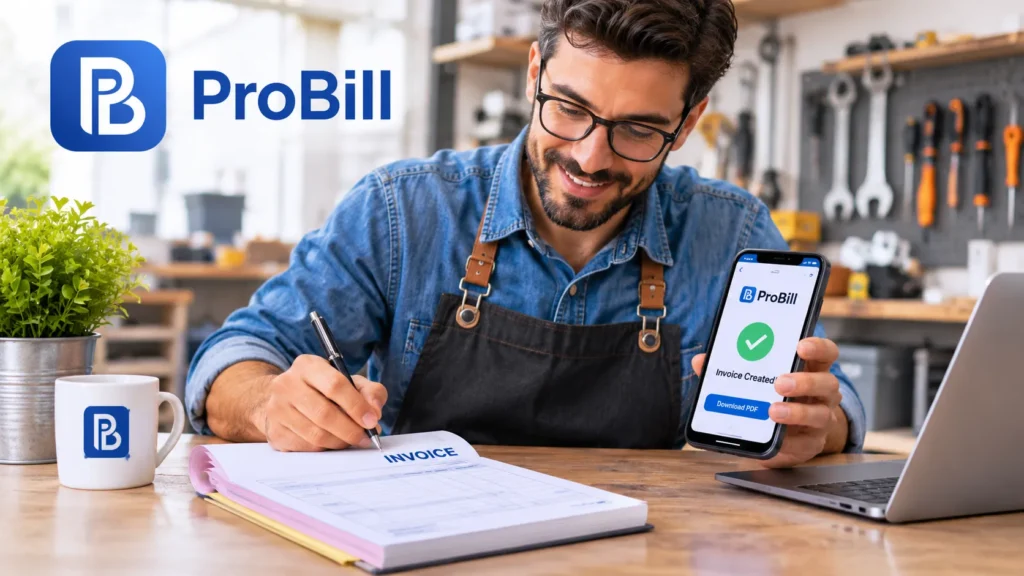
Despite the spread of cloud tools, manual invoice books remain a staple for tradespeople, pop-up retailers, and field service teams.
Key reasons include:
- Offline reliability when power, Wi-Fi, or mobile data is unavailable
- Instant carbonless duplicates that satisfy tax auditors and speed expense reconciliation
- Perceived professionalism—handing a customer a signed slip still feels personal
- Low upfront cost and easy availability at any office-supply aisle or online store for those searching where to buy invoice book solutions
- Branding opportunities via a custom invoice book that mirrors logos and colors
Many owners blend analog speed with digital accuracy. They issue the paper form, photograph it, and later recreate it online using the how to create invoices tutorial or convert it into electronic credit invoices when adjustments are required. This hybrid workflow preserves the practicality of pen-and-pad while tapping digital analytics and automated reminders offered by modern software.
Choosing the Right Invoice Book Type for Your Business
Comparing Duplicate, Triplicate, and Carbon Copy Invoice Books
Choosing among the main invoice book types comes down to the number of copies you need, how those copies are created, and the record-keeping rules in your industry. The table below highlights the practical differences to help you decide quickly.
| Invoice Book Type | Copies Produced | How Copies Are Made | Best For | Typical Users | Extra Considerations |
|---|---|---|---|---|---|
| Duplicate invoice book | 2 (original + one copy) | Carbonless or traditional carbon sheet | Simple transactions and minimal paperwork | Freelance consultants, market stall owners | Lightest and most affordable option |
| Triplicate book | 3 (original + two copies) | Usually carbonless | Transactions needing an extra internal record | Construction crews, field service teams | Third sheet often sent to head office or accountant |
| Carbon copy invoice book | 2–4 depending on pad | Classic carbon sheet placed between pages | Situations where impressions must be extra sharp | Equipment rentals, logistics firms | Messier sheets; keep spare carbon papers handy |
You will still follow the same basics on how to fill out an invoice correctly and ensure every page contains the essential information an invoice should include. Whether you run fully manual invoice books or later scan them into the Probill Invoice maker app, don’t forget the importance of invoice dates for audit trails.
If you often convert paper slips into electronic credit invoices or issue estimates on the go, pairing a duplicate pad with the free invoice generator keeps admin light. Larger jobs that generate on-site, office, and accountant copies almost always justify a triplicate set—especially when local regulations demand original signatures for every party.
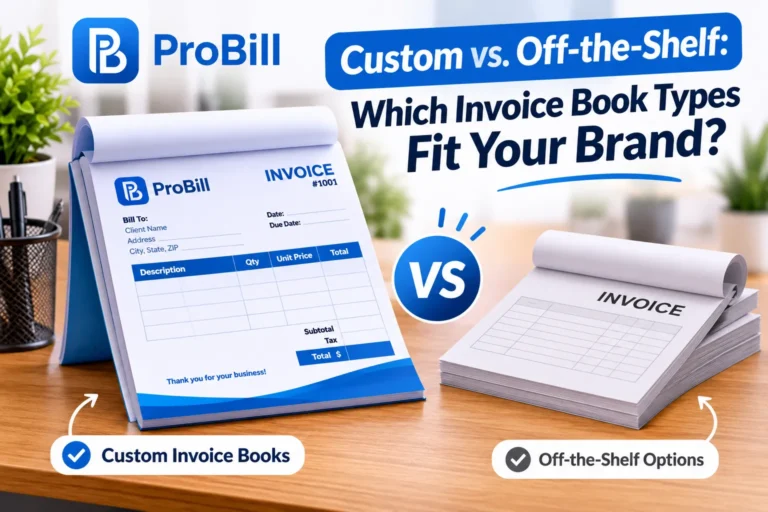
Custom vs. Off-the-Shelf: Which Invoice Book Types Fit Your Brand?

Standard bookstore pads work, but a custom invoice book can reinforce credibility, speed data entry, and sync better with digital tools.
Off-the-shelf books found in any office-supply aisle are ready today and answer the question where to buy invoice book products at the lowest cost. They usually follow a generic layout, leaving you to handwrite every detail each time. That slows teams learning how to fill in an invoice book accurately and can lead to errors.
Custom printing lets you pre-populate logo, contact data, sequential numbering, and even QR codes that link directly to your Create Invoice workspace. Many printers start from ready-to-use invoice templates or industry-specific designs inside the invoice resources by industry library, so artwork fees stay reasonable. You can mirror fonts and colors from your website, making paper records match every digital invoice created through how to create invoices tutorials.
For micro-brands, a hybrid route works well: download a printable invoice templates in PDF format branded to your colors, print small batches locally, then bind them into a pad. This approach grants the polish of a custom pad without committing to large print runs.
Whichever path you choose, design the layout to guide users on how to fill invoice book fields quickly—checkboxes for tax status, shaded boxes for totals, and prompts for client approval. Streamlined visuals cut filing time and reduce transcription errors when records move into accounting software later.
Step-by-Step: How to Fill Out an Invoice Book Accurately
Essential Fields to Complete on Every Manual Invoice Book
Prepare the pad
Number the next blank set and slide any carbon sheet into place if you’re using a carbon copy invoice book. This prevents imprinting on unused pages.Write the invoice date
Always add today’s date first. According to the importance of invoice dates, clear dating synchronizes paper and digital records and avoids late-payment disputes.Enter your business details
Fill in your legal name, address, phone, ABN/VAT ID, and logo if you use a custom invoice book. Pre-printed invoice templates save time here.Record the customer’s information
Capture the client’s full trading name, contact person, and address. Accuracy now speeds follow-up inside the Create Invoice workspace later.Allocate a unique invoice number
Follow the next sequential number on the pad. Duplicate sequencing in both the paper form and the free invoice generator keeps audits simple.Describe the goods or services
List each item, quantity, rate, and line subtotal. Industry-specific cues in the invoice resources by industry library help you phrase job-site details correctly.Calculate totals and tax
Add subtotals, apply any tax rate, then state the grand total clearly in both figures and words. Use bold pen pressure so copies in a duplicate invoice book remain legible.Specify payment terms
Note the due date, accepted methods, and late-fee policy. Templates from the printable invoice templates in PDF format collection include handy “Net-30” tick boxes.Include supplemental references
Attach purchase-order numbers, project codes, or previous credit invoices if you are adjusting an earlier bill.Sign and distribute copies
Sign or stamp the original, hand it to the customer, keep the seller copy, and file any extra sheet if you’re using a triplicate pad. Snap a photo and upload it to the Probill Invoice maker app or recreate it online via how to create invoices for digital backup.
For more detail on each data point, cross-check the essential information an invoice should include and the practical guide on how to fill out an invoice correctly.
Common Mistakes When Filling in an Invoice Book & How to Avoid Them
Missing or duplicated invoice numbers
Keep a running log beside your manual invoice books or pre-print sequential numbers with ready-to-use invoice templates to prevent gaps that confuse accountants and tax inspectors.Incomplete client details
Skipping a contact name or address hampers debt collection. Copy data directly from the customer’s purchase order or CRM each time you fill in an invoice book.Illegible handwriting on duplicate pages
Press firmly with a ballpoint and write in block letters. For high-volume jobs, consider a carbon copy invoice book with heavier paper stock bought from suppliers listed under where to buy invoice book searches.Incorrect or missing dates
An undated invoice is often deemed invalid. Double-check the header date and each line item date to align with booking logs and software, reinforcing the correct invoice book meaning for auditors.Arithmetic errors in totals and tax
Use a calculator or confirm figures inside the free invoice generator before committing them to paper, then mirror the exact amounts.Forgetting payment terms
Without clear terms, late payments skyrocket. Pre-print your standard terms or add them with a rubber stamp when you fill invoice book pages on site.
Following these safeguards ensures every invoice book type—from a basic duplicate invoice book to a branded custom pad—produces accurate, professional paperwork that transfers seamlessly into your digital workflow.
Where to Buy Invoice Books and Get Them Customized
Top Places Online and Locally to Purchase Invoice Books
Knowing where to buy invoice book pads starts with matching your budget, turnaround time, and the specific invoice book types—from a simple duplicate set to a carbon copy pad—you rely on in daily operations. Below are the most reliable sources and how each one fits different business scenarios.
National office-supply chains
Walk-in retailers like Staples or Office Depot stock generic duplicate and triplicate books you can inspect before purchase. Compare page weight, binding, and whether the layout captures the essential information an invoice should include to avoid rework later.Major online marketplaces
Amazon, eBay, and Walmart Marketplace let you bulk-order manual invoice books and filter by size, numbering style, or paper format. Check user photos to ensure lines are wide enough to follow the guidance in how to fill out an invoice correctly.Local commercial printers
Neighborhood print shops can add a logo or sequential numbers to off-the-shelf pads within 24 hours. Bring a printable invoice templates in PDF format file so they reproduce your branding precisely without extra design fees.Specialized online print services
Platforms like Vistaprint or PrintPlace accept uploaded artwork and offer binding, perforation, and carbonless options. Their configurators often reference ready-to-use invoice templates to speed setup.Industry-specific stationers
Trade suppliers cater to fields like auto repair or HVAC with pre-formatted forms aligned to regulations in the invoice resources by industry library. This saves time when learning how to fill invoice book pages that require sector-specific details.Hybrid digital providers
Services that pair paper pads with cloud storage—some integrate directly with the free invoice generator or sync scans to the Probill Invoice maker app—help teams that want physical receipts while building a searchable archive.
How to Order a Custom Invoice Book That Elevates Your Professional Image
Creating a custom invoice book ensures every handwritten bill mirrors your digital brand and streamlines data entry. Follow these steps to move from idea to delivery:
Choose a template foundation
Browse the invoice templates gallery on Create Invoice and select a layout that matches your services and tax region.Incorporate branding and compliance cues
Add logos, color accents, and mandatory fields for dates, taxes, and line items. The checklist in how to create invoices helps verify nothing essential is missed.Decide on copy format and sequencing
Select duplicate or carbon copy sets, then request pre-printed sequential numbers. Doing so prevents gaps that complicate future credit invoices or audits.Embed efficiency prompts
Include shaded boxes for client initials or QR codes that open the free invoice generator page, guiding staff who wonder how to fill in an invoice book quickly on site.Proof for accuracy and legal clarity
Cross-check every field against the importance of invoice dates and other statutory requirements before approving the proof.Confirm production specs and delivery
Approve paper weight, binding type, and run size, then schedule delivery. Most printers ship within 7–10 days, giving you plenty of time to train staff using how to fill out an invoice correctly tutorials before the books arrive.
Frequently Asked Questions About Invoice Books
Do I still need a carbon copy invoice book in the digital age?
Yes—while apps dominate invoicing, a carbon copy invoice book is still the quickest fallback when you are offline, need an instant signature, or want to hand the customer a tangible receipt. Many businesses issue the paper copy, then scan it into the Probill Invoice maker app and mirror the details in Create Invoice or the free invoice generator for digital archiving. This hybrid method delivers the reliability of manual invoice books without sacrificing searchable records and automated reminders.
How many pages should a standard duplicate invoice book contain?
The ideal size depends on how often you invoice: choose a pad thick enough to cover your busiest cycle yet slim enough to carry on-site. Off-the-shelf pads typically provide a practical balance, but if you need more or fewer sets you can order pads printed from your own invoice templates. Printers can bind those designs into compact books or larger volumes using ready-to-use invoice templates or even printable invoice templates in PDF format. For sector-specific layouts—say automotive or HVAC—browse the invoice resources by industry before deciding on pad thickness.
Can I use an invoice book for tax records and compliance?
Absolutely. Tax authorities accept handwritten invoices as long as each page lists all of the essential information an invoice should include and is dated correctly—see the importance of invoice dates for why this matters. Follow the steps in how to fill out an invoice correctly so every duplicate meets statutory requirements. Archiving originals in chronological order (and uploading scans) keeps auditors happy and ensures seamless reconciliation with your accounting software.
What is the average cost of a custom invoice book?
Prices vary by paper weight, color printing, and run size, but a custom invoice book usually costs only a modest premium over generic pads when ordered in bulk. Added features like sequential numbering or pre-printed terms—handy for issuing credit invoices later—raise the quote slightly yet save time on every transaction. Because setup fees are spread across the print run, ordering multiple books at once delivers the best per-unit value.
How long should I keep used invoice books for my business?
Retain completed books until the longest audit or warranty period in your jurisdiction has expired; your accountant can confirm the exact timeline. After that, scan each page, store it in your cloud drive, and recreate critical data with how to create invoices if you need searchable summaries. Keeping both physical and digital copies safeguards you against disputes, lost paperwork, and compliance issues that may surface years later.