Skip to content


What Is an Invoice Payment Method? Definition & Business Impact
An invoice payment method is the agreed-upon way a buyer settles the amount shown on an issued invoice—whether that means ACH transfer, card, PayPal, check, or a net-term credit arrangement. Unlike a point-of-sale swipe, the invoice payment method kicks in after goods or services are delivered, giving both parties documentation for accounting, tax, and dispute resolution.
Choosing the right invoice payment method can shrink Days Sales Outstanding (DSO), lower processing fees, and make reconciliation in any modern invoice payment system far less painful.
Understanding the “pay by invoice” meaning for buyers and suppliers
For buyers, pay by invoice means receiving goods or services first and settling the bill later using the specified invoice payment method. This deferred payment arrangement can range from “due on receipt” to Net 60, providing short-term financing without requiring buyers to use an existing credit line.
Suppliers, in turn, rely on the same invoice payment method to forecast cash inflows and trigger automatic payment reminders through their chosen invoice payment solutions.
A simple invoice payment method example helps illustrate the process:
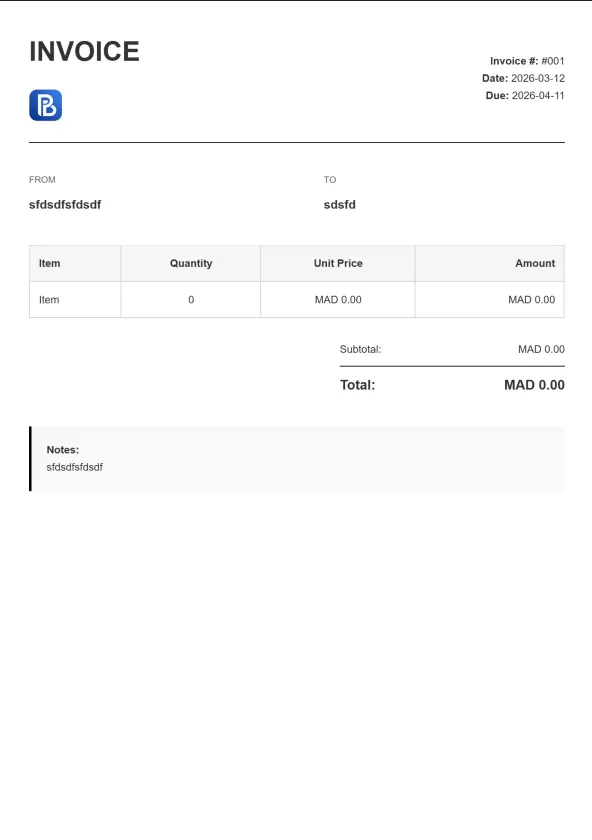
A freelance designer emails a PDF invoice generated with our free invoice generator. The client chooses to pay by bank transfer within ten days, while the designer tracks the payment status through the dashboard before marking the invoice as paid.
The meaning of pay by invoice extends beyond B2B transactions. Many e-commerce checkouts now offer payment by invoice through providers such as Klarna or Afterpay, giving consumers additional time to pay while merchants receive payment upfront from the provider.
Whatever the context, an optimized invoice payment method builds trust, streamlines bookkeeping through platforms like QuickBooks, and simplifies tax preparation.
For industry-specific requirements, such as construction progress billing versus SaaS subscriptions, explore our invoice resources by industry.
Why invoice payment methods still matter for cash-flow health in 2026
Even with the rise of instant digital wallets, the invoice payment method remains highly relevant because B2B trade is still dominated by invoices, which represent roughly $120 trillion in annual value worldwide. Late payments and rigid payment options tie up working capital, while flexible invoice payment solutions, such as early-payment discounts and embedded financing, help shorten cash-flow gaps and reduce borrowing costs.
Suppliers using customizable invoice templates can include multiple payment options, such as cards, ACH, and faster payment rails, allowing customers to choose the most convenient method. Automated reminders from tools like Create Invoice or mobile apps such as Probill can help reduce late payments, freeing up cash for inventory and payroll without relying on high-interest loans.
Buyers also benefit when an adaptive invoice payment method supports consolidated remittance files. Instead of processing invoices individually, they can reconcile dozens of transactions in minutes rather than hours within the same invoice payment system.
In 2026, economic uncertainty and higher interest rates make efficient payment management even more important. Companies that streamline their invoice payment methods can preserve liquidity and strengthen their negotiating position with vendors.
Embedding diverse payment options directly into invoice templates helps future-proof accounts receivable (AR) processes. Reviewing available methods quarterly also ensures your invoice payment method remains competitive as new payment technologies and rails emerge.
Choosing the Right Invoice Payment System for Your Workflow
Key features to compare in modern invoice payment solutions
A robust invoice payment system does more than move money; it streamlines every touchpoint, from invoice dispatch to final reconciliation. Evaluate these core capabilities before you sign a contract:
- Multi-Rail Support: Look for card, ACH, real-time payment, and wallet options in one dashboard so every client can choose their preferred payment method for each invoice.
- Dynamic Terms Engine: The best invoice payment solutions let you set net-0 to net-90 payment terms per customer and automatically offer early-payment discounts—an instant cash-flow lever.
- Self-Service Portals: Give buyers a secure link to view outstanding balances, download PDFs, and trigger one-click payments. A client who sees an invoice payment method example in action is more likely to pay on time.
- Automated Reminders & Dunning: Built-in email or SMS reminders reduce manual follow-ups and help lower DSO without requiring additional software.
- Reconciliation Automation: Real-time syncing with general ledger (GL) accounts, combined with smart matching against remittance data, eliminates time-consuming spreadsheet work.
- Granular User Roles & Audit Trails: SOC 2-aligned logging supports audit readiness and helps protect against internal fraud.
- Transparent Pricing: Whether a provider uses tiered interchange pass-through, flat SaaS fees, or blended rates, compare the total costs based on your expected transaction volume to avoid surprises.
- Extensibility: An open API allows the invoice payment system to integrate with future applications and industry-specific tools. Explore our [invoice resources by industry] for niche examples.
Test-drive new platforms with the free invoice generator by sending a sample bill and checking whether the customer payment journey feels frictionless.
If you already use Create Invoice, enable the payment module in your settings to explore these features without a full migration.
Integration tips for accounting, ERP, and CRM platforms
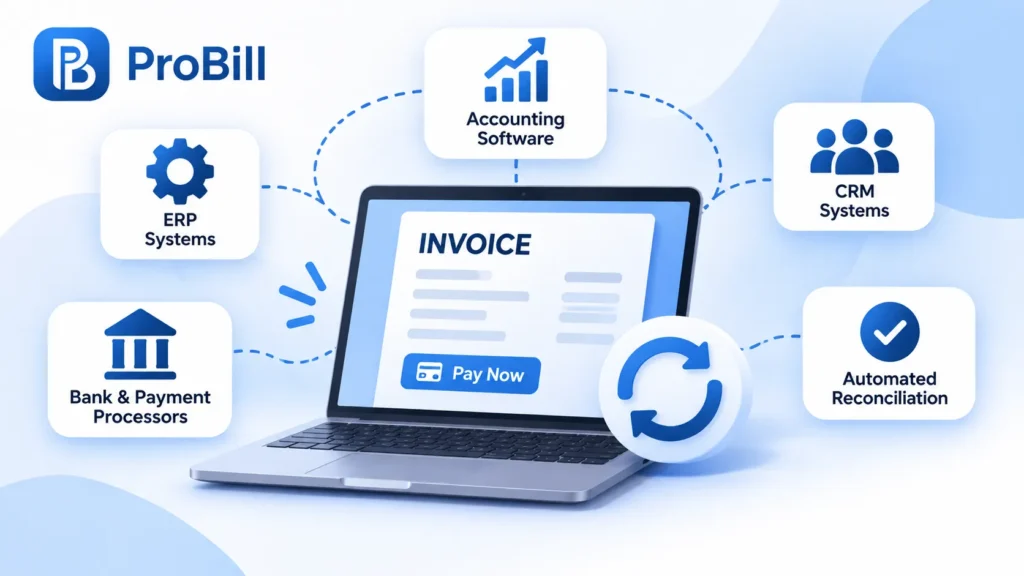
Connecting your invoice payment system to existing software keeps data clean and reduces manual work. Use this phased checklist to ensure a smooth integration:
- Map Data Fields: Align customer IDs, invoice numbers, and tax codes between the payment portal and your accounting ledger. Mismatched keys are a leading cause of failed syncs, according to Intuit’s developer documentation.
- Choose the Right Connector: Native QuickBooks or NetSuite apps can be installed in minutes, while custom ERPs may require API integrations or iPaaS middleware. Verify that the connector supports both invoice events (creation and status changes) and payment settlements.
- Set Webhook Triggers: Real-time callbacks update CRM deal stages as soon as an invoice status changes from “sent” to “paid,” helping sales teams see when payments are received.
- Test in a Sandbox Environment: Run an invoice payment method example through staging to confirm that taxes, discounts, and multi-currency amounts are transferred correctly.
- Automate Error Handling: Configure alerts for failed data transfers so the finance team can intervene before month-end closing.
- Reconcile Nightly: A daily job that imports cleared payments into the general ledger (GL) keeps aging reports accurate and helps flag disputed charges early.
A tightly integrated invoice payment system unlocks cross-team visibility: finance gets clean ledgers, operations see fulfillment updates, and sales teams can trigger renewals without re-entering data.
To speed up implementation, start with standardized invoice templates and gradually enable advanced fields as each department becomes comfortable with the system. This balanced approach keeps the backend stable while supporting the modern payment-by-invoice options your customers expect.
Step-by-Step Invoice Payment Method Example: From Issuance to Reconciliation
Sample timeline for B2B payment by invoice (Day 0–30)
- Day 0 – Invoice Issuance: Accounts receivable exports data from the ERP into the free invoice generator and emails a PDF invoice listing ACH, card, and real-time payment (RTP) options.
- Day 1 – Dispatch Confirmation: The buyer’s AP automation system ingests the XML data, validates the purchase order (PO) match, and records the payment-by-invoice due date (Net 30).
- Day 3 – Buyer Acknowledgment: The supplier receives an automated “invoice received” notification through the buyer’s portal, providing shared visibility into the invoice payment process.
- Day 10 – Early-Payment Decision: The buyer evaluates a 2% early-payment discount (2/10 Net 30) included in the invoice terms and accepts it through the internal approval workflow.
- Day 11 – Funds Initiation: An ACH batch file is submitted to the bank. Under NACHA rules, processing typically begins on the next banking day.
- Day 13 – Payment Posted: The supplier’s bank confirms settlement, and the invoice payment system automatically matches the remittance ID to the corresponding invoice.
- Day 15 – Exception Review: Any short payment or dispute is flagged for investigation. No exceptions are found, so the invoice status remains “paid.”
- Day 30 – Reconciliation Close: The month-end routine imports cleared transactions into the general ledger (GL), completing the invoice payment process from initial issuance to final reconciliation.
How to automate each stage and cut admin time by 50%
Modern invoice payment solutions eliminate manual bottlenecks without changing your preferred payment-by-invoice workflow.
- Issuance & Dispatch: Use Create Invoice to bulk-generate branded PDFs and XML files simultaneously. Rule-based tagging automatically feeds invoice data into your invoice payment system.
- Buyer Acknowledgment: Add a webhook to your ERP so every invoice status change syncs directly to your CRM, eliminating the need for manual email follow-ups.
- Discount Negotiation: Dynamic payment terms within the platform present buyers with cost-saving offers and allow them to accept discounts with one click. This is a major improvement over traditional pay-by-invoice workflows.
- Funds Initiation: Automatically generate same-day RTP or ACH payment files. Routing logic selects the most cost-effective payment method for each customer, providing another practical invoice payment method example.
- Cash Application: AI-powered matching pairs incoming bank transactions with outstanding invoices. Unmatched transactions trigger Slack alerts, helping reduce reconciliation time.
- Compliance & Analytics: Pre-built dashboards segment payment performance by industry. Link these insights directly to invoice resources by industry to identify relevant KPIs and performance benchmarks.
By connecting these steps, finance teams can reduce manual data entry and follow-up work, potentially cutting administrative effort by 50%. The right invoice payment solutions can transform a traditional 30-day payment cycle into a nearly touchless process.
Common Challenges & How to Optimize Payment by Invoice
Reducing late payments and improving cash-flow predictability
Late settlements derail budgets because payment by invoice is usually the final step in the fulfillment chain. To improve payment timing, include clear payment terms on every PDF or XML invoice you send. Our free invoice generator makes these details easy to display.
A recent Atradius study shows that nearly half of North American B2B invoices arrive past due, often because buyers face confusing payment terms or limited payment options. The following tactics can help reduce Days Sales Outstanding (DSO) without adding unnecessary risk:
- Clarify Expectations Upfront: Add a clearly visible “Due Net 15” line and highlight early-payment discounts directly in your invoice templates so buyers can identify potential savings from day one.
- Automate Payment Reminders: Inside Create Invoice, schedule escalating email or SMS reminders three, seven, and ten days before the due date. Consistent reminders help improve on-time payment rates and reduce manual follow-ups.
- Offer Multiple Payment Methods: Every payment-by-invoice option should include ACH, card, and real-time payments where available. Buyers can then choose the most convenient method through your invoice payment system.
- Enable Autopay for Repeat Buyers: Invoice payment solutions that securely tokenize payment credentials allow trusted customers to enroll once and automatically settle future invoices or statements.
- Monitor Customers with Late Payments: Segment your ledger by industry using the invoice resources by industry dashboard. For example, if construction clients consistently pay ten days late, consider adjusting their payment terms or requiring deposits.
An invoice payment method example that combines early-payment incentives with scheduled reminders can help shorten working-capital gaps, potentially giving finance teams more predictable cash flow for payroll and inventory restocking.
Security, compliance, and fraud-prevention best practices

Every payment-by-invoice touchpoint—from PDF delivery to bank posting—exposes sensitive data that attackers may target. Protect your entire payment process with these essential security measures:
- Encrypt Communication Channels: Use TLS-secured email links and SFTP for EDI uploads. Reputable invoice payment solutions should also encrypt stored documents at rest using AES-256 encryption.
- Follow Industry Security Standards: Use a PCI DSS-compliant payment gateway whenever card payments are accepted through an invoice. SOC 2 or ISO 27001 audits provide additional assurance that your invoice payment system follows established security controls. Learn more from the PCI Security Standards Council.
- Segregate User Responsibilities: Give accounts receivable (AR) staff view-only access while requiring treasury approval for disbursements. Role-based permissions help limit unauthorized actions and reduce internal fraud risks.
- Digitally Sign Documents: Add cryptographic digital signatures to detect document tampering and preserve the integrity of payment records during disputes.
- Verify Bank Details Before Changes: Require callback verification whenever a supplier requests a change to banking or routing details. Business email compromise (BEC) scams often use forged PDFs and impersonated messages to redirect payments.
- Activate Anomaly Alerts: Use machine-learning tools to flag unusual invoices, such as those valued at three times the customer’s average transaction amount. Reviewing these alerts promptly can help prevent fraudulent settlements.
Combine these safeguards with regular penetration testing to strengthen security across the entire payment-by-invoice process.
For industry-specific compliance requirements, such as HIPAA for healthcare or OFAC screening in logistics, consult the relevant guidance in our invoice resources by industry.
Frequently Asked Questions About Invoice Payment Methods
Can customers still get discounts when they pay by invoice?
Yes. Early-pay or dynamic-discount terms can be embedded directly into the invoice payment method so buyers earn, for example, “2 % 10/30” rebates even when they settle via ACH or card. Using the free invoice generator automatically populates those fields, and the Create Invoice dashboard tracks whether the buyer accepted the offer. Because the commitment is recorded on the original document, finance can reconcile the reduced amount without any manual credit memos.
How do invoice payment methods affect VAT and tax reporting?
The chosen invoice payment method doesn’t change the tax rate, but it dictates when VAT becomes payable and which records auditors inspect. HMRC guidelines state that VAT is due on the “tax point,” usually the invoice date unless advance payment shifts it earlier (source: https://www.gov.uk/vat-businesses). Automated invoice payment solutions time-stamp both issuance and settlement, pushing exact figures into your ledger so Making Tax Digital filings populate in seconds. Pairing those feeds with standardized invoice templates prevents mis-keyed tax codes.
What’s the difference between invoice payment systems and payment gateways?
A payment gateway transmits card credentials and returns an approval in milliseconds; it ends once funds are authorized. An invoice payment system, by contrast, oversees the full life cycle—dispatch, reminders, multi-rail collection, and GL sync—so it manages every invoice payment method from issue to reconciliation. Many platforms integrate a gateway component, but the broader system also handles aging reports, dunning, and the pay by invoice meaning of deferred credit.
Are invoice payment solutions suitable for international transactions?
Absolutely. Modern invoice payment solutions route FX through local banking partners, auto-populate IBAN or SWIFT fields, and display the landed cost before buyers click “Send.” If you need localized tax wording or dual-currency lines, the invoice resources by industry library provides region-specific layouts, and an invoice payment method example inside each template shows how fees break down. Settlement speed varies by rail, yet real-time networks like SEPA Instant make cross-border ACH nearly immediate.
How fast can I implement an automated invoice payment method?
Small teams can turn on a cloud-based invoice payment system in under a day: import customers, map GL codes, and toggle rails. Pre-built APIs and Zapier connectors inside Create Invoice cut custom work, and sandbox testing with an invoice payment method example verifies data flow in hours, not weeks. Enterprise ERPs may stretch to two sprints, mainly for SSO and approval-matrix reviews.
What metrics should I track to measure success?
Focus on Days Sales Outstanding (DSO), on-time payment ratio, and the discount capture rate to prove your new invoice payment method is working. Layer in cost-per-transaction, auto-match percentage, and dispute frequency—figures the system surfaces automatically. Comparing those KPIs across segments in the analytics tab—and against historical baselines stored from your previous payment by invoice workflow—shows where to iterate next.