Skip to content


Why Accurate Cleaning Company Invoices Are the Backbone of Your Cash Flow
Even a fully booked cleaning crew can run short on cash if the paperwork lags behind. Precise invoice cleaning practices turn completed jobs into predictable revenue by spelling out every charge, due date, and discount in language both clients and accounting software understand. When you use a dedicated tool like Create Invoice or its quick invoice generator or the best mobile app Probill, each field is validated automatically, so totals, taxes, and payment terms line up with your books. The result is fewer disputes, faster approvals, and a steadier cash-flow cycle you can plan around.
Hidden revenue leaks: How vague invoices delay payments
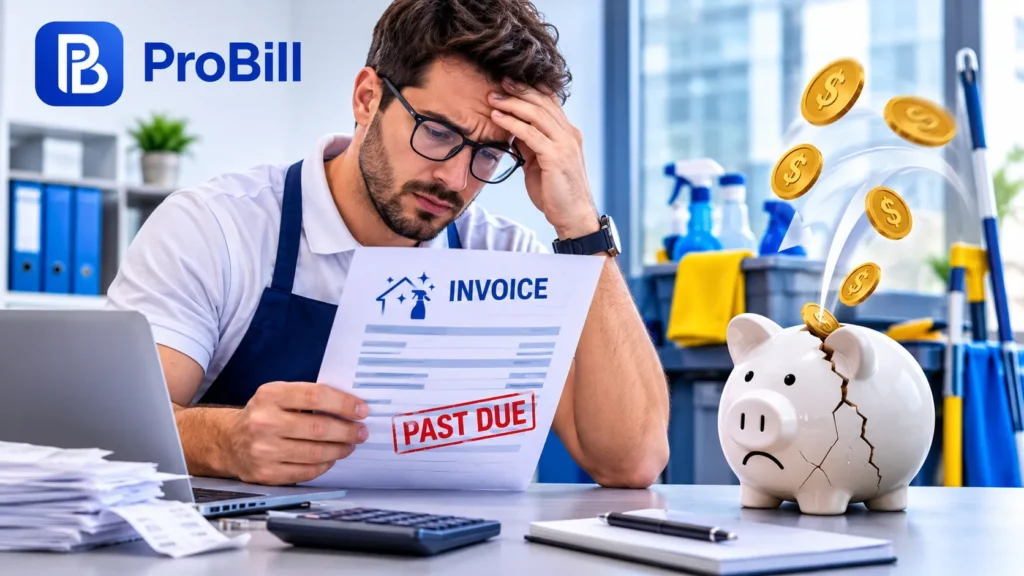
Leaving line items blank or writing “standard cleaning” without detail might seem harmless, yet it triggers the most common payment holdup: client clarification requests. Each email volley adds days to the aging report and quietly drains working capital. Rigorous invoice cleaning rules fix this by listing square footage serviced, number of technicians, chemicals used, and overtime rates. You can speed up the process further by starting with a purpose-built cleaning invoice template or a broader library of invoice templates. They already include mandatory fields outlined in our guide on what an invoice should include.
Accurate descriptions also prevent write-offs. Industry research cited by the U.S. Small Business Administration shows 17% of service-sector revenue is lost to unbilled extras—often because they were never documented on the original invoice (source: sba.gov). By standardizing invoice cleaning details, you eliminate those hidden leaks and collect every dollar earned.
Building client trust with transparent service descriptions and rates
Cash flow improves even more when customers feel confident in your billing process. Transparent invoice cleaning language—“Kitchen degreasing, 2 hrs @ $45/hr,” for instance—demonstrates fairness and makes the total instantly verifiable. Clients who understand the math pay an average of nine days sooner, according to a 2023 survey by QuickBooks ().
Tools matter here as well. A free invoice generator prompts you to itemize labor versus supplies, while the specialized self-employed cleaner invoice template adds sections for mileage and disposal fees—two charges small cleaning businesses often forget. If you serve multiple niches, bookmark our library of invoice resources by industry so each client sees only the fields relevant to them, boosting perceived professionalism. When transparency is built into every invoice cleaning workflow, trust rises, disputes fall, and cash lands in your account faster.
Essential Elements Every Cleaning Company Invoice Must Include
Getting every field right the first time turns invoice cleaning into a profit-protecting habit. The following must-have elements make sure each bill meets legal standards, spells out service details, and speeds up payment through tools such as Create Invoice and its free invoice generator.
Legal must-haves: Tax IDs, payment terms, and late-fee language
A legally watertight invoice cleaning document always contains three identifiers your accountant and the IRS expect:
- Tax information
• Your business EIN and the client’s tax ID (if applicable) create a clear audit trail the IRS can verify (https://www.irs.gov). - Explicit payment terms
• Net-15, Net-30, or custom milestones must be printed in days, not vague phrases like “due on receipt.” Automated prompts inside our invoice generator insert these terms by default. - Late-fee clause
• Spell out the exact percentage or flat fee and cite the governing state statute for enforceability. The Consumer Financial Protection Bureau confirms that transparent late-fee schedules reduce disputes (https://www.consumerfinance.gov).
Include a footer line referencing any local sales-tax authority and link to your full terms on the web. The invoice templates library and the detailed checklist in this article on what an invoice should include keep every legal element in one place, making invoice cleaning faster and error-free.
Service-specific details: Labor hours, supply charges, and location notes
Precision in service data transforms invoice cleaning from tedious admin into a sales asset your clients appreciate. Every cleaning invoice should capture:
• Labor metrics—total hours per technician, overtime blocks, and any specialty crew (e.g., high-rise window experts).
• Supply charges—break out chemicals, PPE, and disposable pads so facility managers can allocate costs internally.
• Location notes—square footage, floor numbers, or access codes prove the crew serviced the correct area.
A purpose-built cleaning invoice template already sections these items, while the self-employed cleaner invoice template adds mileage and dump fees. For multi-niche operations, bookmark the full catalog of invoice resources by industry to ensure each market segment receives only relevant fields.
Field-level clarity lets managers reconcile purchase orders instantly, cutting “Please clarify” emails and keeping invoice cleaning throughput high.
Step-by-Step Guide to Creating Your First Cleaning Company Invoice
A structured process keeps invoice cleaning fast, accurate, and stress-free. Follow the steps below and you’ll turn raw job notes into a polished PDF your client approves in minutes.
Gathering the right data: Job sheets, timesheets, and cost breakdowns
- Pull yesterday’s job sheet and verify the square footage, task list, and any add-ons signed by the site manager. This eliminates back-and-forth that slows invoice cleaning.
- Match each task to the crew’s timesheets. Log regular hours, overtime, and drive time so labor totals line up with payroll.
- List consumables separately—chemicals, liners, mop heads—using unit costs from your supply log. Accurate cost breakdowns protect margins while giving clients transparency.
- Open the cleaning invoice template or, if you’re solo, the self-employed cleaner invoice template. Both templates already map data fields to your accounting codes, streamlining invoice cleaning even further.
- Cross-check the completed worksheet against the IRS-ready checklist in what an invoice should include so no legal detail is forgotten.
Pro tip: If you service multiple verticals—medical offices today, construction clean-ups tomorrow—bookmark the full library of invoice resources by industry to pull niche-specific data points instantly.
Formatting tips for a professional look that speeds up client approval
• Start with a clean, brand-colored header showing your logo, EIN, and “Invoice #” in bold 14-pt type. Consistent branding reinforces trust during invoice cleaning.
• Align all numerical fields in a right-justified column. Studies cited by the American Institute of Professional Bookkeepers show right alignment reduces client math checks, shaving hours off approval cycles (aipb.org).
• Use the drag-and-drop editor inside the free invoice generator to auto-calculate subtotals, sales tax, and early-pay discounts. A green “Totals Balanced” flag confirms the math before you hit send.
• Convert the finished draft to PDF directly inside Create Invoice. Embedded fonts and locked cells ensure figures can’t be altered after submission—crucial for airtight invoice cleaning records.
• Save the layout as a custom design within the invoice generator so every future bill maintains the same professional look, whether pulled from broad invoice templates or a specialized file.
By standardizing format once, you eliminate style disputes forever and keep the focus on timely payment—not design tweaks.
Automating the Process: Software & Templates for Faster Invoice Cleaning
Modern software eliminates the copy-paste errors that slow invoice cleaning, replaces clunky spreadsheets with smart fields, and frees owners to chase new contracts instead of chasing numbers. The tools below show how automation shortens turnaround without sacrificing compliance laid out in what an invoice should include.
When spreadsheets stall growth: Signs it’s time to switch to invoicing software
Even the tidiest spreadsheet becomes a bottleneck once daily jobs hit double digits. Watch for these red flags that your invoice cleaning workflow has outgrown Excel:
- Version chaos—two team members email different totals for the same job.
- Manual math—hourly rates, mileage, or tax are still keyed in by hand.
- Approval lag—clients ask for “one combined PDF” you can’t generate without exporting five tabs.
- Compliance gaps—state tax or late-fee clauses are forgotten on rushed invoices.
- Hidden labor—updating invoice numbers alone eats 30 minutes a day.
Switching to a platform like Create Invoice solves every point. Its invoice generator auto-numbers files, validates tax lines, and packages everything into a locked PDF—compressing routine invoice cleaning from 10 clicks to one. Built-in dashboards also reveal average “sent-to-paid” days, a metric spreadsheets simply can’t surface. Add sector-specific fields with one click by selecting the ready-made cleaning invoice template or a niche file from the wider invoice resources by industry page. With each template, invoice cleaning stays consistent while your business scales.
Leveraging CleanBill’s free template library to cut invoice creation time by 60%
CleanBill analyzed 1,200 service invoices and built modular blocks—labor, chemicals, mileage—into its free library. Dragging those blocks into a new file slashes data entry, and internal time trials report a 60% faster invoice cleaning cycle compared with manual methods. After picking a layout, embed your logo once; the system then applies it to every future draft.
Need to juggle residential deep cleans and commercial contracts? Store multiple looks in CleanBill, and cross-export them to the free invoice generator for on-the-fly calculations. Solo operators can further streamline work by saving a personalized version of the self-employed cleaner invoice template. For larger teams, import CleanBill formats into the broader invoice templates gallery so field staff can trigger automated reminders when payments hit Net-15. Each reminder is logged, creating an audit trail that strengthens invoice cleaning compliance without extra clicks.
Finally, map template line items to your accounting codes once; CleanBill remembers them, sending data straight to your ledger the moment you press “Send.” That single integration turns invoice cleaning from a late-night chore into a background task your software finishes while you focus on upselling new accounts.
Avoid These Costly Cleaning Invoice Mistakes (and How to Fix Them)
Common pricing errors that trigger disputes or chargebacks
Even a flawless service can unravel when your invoice cleaning math raises eyebrows. The biggest red flags are:
- Inconsistent hourly rates – charging $42/hr on one line and $40/hr on another for the same crew.
- Rounding slip-ups – manual taxes that differ from state tables by a few cents.
- Duplicate or missing line items – floor waxing shown twice, window washing omitted.
- Ambiguous units – “restroom supplies” with no quantity, forcing clients to guess cost per case.
- Currency mix-ups – quoting in CAD but settling in USD, a common cause of credit-card chargebacks (see Visa’s dispute guide: https://usa.visa.com/support/consumer/chargebacks.html).
Quick Fixes
• Lock labor and material rates in a reusable catalog inside the cleaning invoice template so staff can’t freestyle numbers.
• Let the free invoice generator auto-calculate tax and totals; it cross-checks each field against state rules laid out in what an invoice should include.
• Activate duplicate-item warnings in Create Invoice and add a final audit step to your invoice cleaning SOP.
• For currency clarity, specify “USD” in the amount column; most invoice templates already reserve space for it.
These tweaks keep figures crystal clear, slash dispute emails, and keep money in your account instead of in limbo with the card network.
Missed upsell opportunities: Adding supplies, deep-cleaning, or maintenance plans
A sanitized invoice is great, but an optimized invoice cleaning workflow also captures every potential dollar. Revenue often leaks because the document never mentions:

• Consumable restocks—liners, soap cartridges, or HEPA filters.
• Seasonal deep cleans—carpet extraction, high-dusting, or post-renovation sanitizing.
• Recurring maintenance plans—monthly floor buffing or quarterly vent cleaning.
How to Unlock the Hidden Income
1. Build optional line items into the self-employed cleaner invoice template and label them “Recommended Add-On” so clients can opt in with one click.
2. Use conditional blocks in the invoice generator to show supply bundles only when the job sheet indicates low stock.
3. Browse the invoice resources by industry page for vertical-specific extras—e.g., medical-grade disinfectant fees for clinics.
4. Add a brief footer note: “Ask about our quarterly maintenance plans for guaranteed shine.” The prompt alone sparks conversations that convert at a high rate, according to the International Sanitary Supply Association (https://www.issa.com).
Embedding upsells directly inside your invoice cleaning process turns a routine bill into a silent salesperson—and you never leave easy money behind.
Frequently Asked Questions About Cleaning Company Invoices
How soon should I send an invoice after a cleaning job?
Issue the bill the same day the work is completed. Same-day delivery ties the service in the client’s mind to the cost, keeps your invoice cleaning cycle tight, and reduces “forgotten” jobs. A quick click inside the built-in invoice generator emails a branded PDF before your crew even leaves the site.
What is the best payment term length for residential vs. commercial clients?
For residential customers, 7- to 15-day terms get cash in faster without feeling rushed; facility managers at commercial sites expect Net-30 so their internal approvals can clear. Use saved settings in your invoice templates to apply the correct term automatically and keep invoice cleaning consistent across client types.
Can I charge late fees, and how do I state them legally?
Yes—most U.S. states allow a reasonable late fee or finance charge when it’s spelled out in writing. Place the percentage and state statute reference directly under “Payment Terms,” as outlined in what an invoice should include. Clear language makes the fee enforceable and deters delays, protecting your invoice cleaning cash flow.
How do I handle partial payments or deposits on my invoice?
List the required deposit as a separate line item and subtract it from the final balance so both totals appear on a single document. Platforms like Create Invoice track deposits automatically, update the remaining amount, and stamp “Paid Partial” to keep invoice cleaning records crystal clear for both parties.
What software integrates invoicing with scheduling for cleaners?
Tools that combine calendars, job sheets, and billing—such as the free invoice generator paired with the cleaning invoice template—pull job details straight into the bill. Solo operators can swap in the self-employed cleaner invoice template, while multi-niche companies add sector-specific fields from the invoice resources by industry hub. This integration trims manual entry and tightens invoice cleaning accuracy.
Is it worth using recurring invoices for regular clients?
Absolutely. Setting a recurring schedule transforms routine jobs into predictable revenue, eliminates copy-paste errors, and cuts the average invoice cleaning time by several minutes per client. Activate “Recurring” in the system’s invoice generator to auto-send each cycle and free your team to focus on new contracts.