Skip to content


Service Invoice Meaning: What It Is and Why It Matters
Defining the term “service invoice” in plain language
A service invoice is a bill a professional issues after completing work such as repairs, consulting, or design. Instead of listing physical goods, it itemizes hours, milestones, or deliverables so the client understands exactly what they are paying for. If you need a quick walkthrough of the process, the guide on how to create an invoice for services breaks it down step by step.
Knowing what to include in a service invoice—hourly rates, descriptions of tasks, dates worked, and applicable taxes—keeps payments transparent and reduces disputes. For a fuller checklist, see the essential details to include on an invoice. The overall service invoice format can vary, but reviewing a real-world service invoice example helps you visualize the structure before you send one out.
Templates eliminate repetitive data entry and maintain branding consistency. Browse general invoice templates, niche-specific business invoice templates, or specialized consulting invoice templates to match your trade. If your field has unique line-item needs—say, landscaping versus IT—filter options through the hub of invoice resources by industry.
Digital tools accelerate service billing. The mobile-friendly Probill Invoice maker app lets you issue invoices on-site, while the browser-based free invoice generator can instantly generate a professional service invoice from any device. For growing teams, the all-in-one dashboard at Create Invoice centralizes clients, templates, and payment tracking.
Sometimes figures change after submission. Issuing credit invoices for billing adjustments keeps your ledger accurate and signals professionalism. Always double-check the addressee—identifying the correct invoice recipient prevents payment delays and maintains goodwill.
Key differences between service invoices and product invoices
| Attribute | Service Invoice | Product Invoice |
|---|---|---|
| Basis for charges | Labor time, expertise, or project milestones | Quantity and unit price of tangible goods |
| Line-item details | Task descriptions, hours, service dates | SKU, model, or part numbers |
| Delivery proof | Signed timesheets, completion reports, progress photos | Shipping documents, delivery receipts |
| Inventory tracking | Not required; focuses on labor allocation | Essential for stock control and cost of goods sold |
| Common add-ons | Travel time, consultation fees, invoices for individual jobs | Packaging, freight, restocking fees |
| Adjustment method | Scope changes or additional work may trigger a new estimate or credit note | Returns and damaged goods often handled with credit memos |
Understanding these distinctions ensures you choose the correct document for every scenario, helping clients recognize your value and pay on time.
What to Include in a Service Invoice: The Must-Have Fields
Client & provider details, dates, and unique invoice number
A professional service invoice opens with information that identifies both parties beyond any doubt. Properly completing these header fields speeds up approvals, helps you comply with tax rules, and reduces the risk of payment being sent to the wrong account.
- Legal name, postal address, email, and phone number for both the client and the service provider. Double-check the addressee with the guide on identifying the correct invoice recipient to avoid delays.
- A unique, sequential invoice number that fits your overall service invoice format—this is essential for audit trails and easy tracking inside apps like the Probill Invoice maker app.
- Issue date and clearly defined service period. When you need inspiration on layout, browse the examples of different invoice formats or choose ready-made invoice templates.
- Your payment terms (e.g., Net 15) and accepted methods. The dashboard at Create Invoice lets you set defaults so they appear automatically on every new document.
If you serve multiple niches, consult the catalog of invoice resources by industry or specialty options like business invoice templates and consulting invoice templates to ensure each field aligns with sector-specific compliance rules.
Line-item descriptions, hourly rates, taxes, discounts, and grand totals
Clear, granular line items are the heart of service billing because they translate time and expertise into numbers your client can approve. A well-structured list limits disputes and makes any future credit notes straightforward.
- Service description: Concise but specific wording (e.g., “UX audit—Phase 2”) that mirrors your contract. For project-based pricing, see how invoices for individual jobs break complex scopes into digestible chunks.
- Quantity or hours: Record the exact measure of work completed; this is the backbone of every credible service invoice example.
- Rate or unit price: Hourly, daily, or fixed-fee rates that were pre-agreed.
- Line subtotal: Automatic multiplication that many tools, including the free invoice generator, calculate for you.
- Taxes: Itemize VAT, GST, or sales tax per jurisdiction.
- Discounts or retainers applied: Show negative values clearly; if you need to reverse an amount later, issue credit invoices for billing adjustments.
- Grand total: The sum each client must pay, displayed both numerically and in bold text for quick reference. Click “Download” in the generator to instantly generate a professional service invoice with this figure auto-populated.
Cross-checking these monetary fields against the essential details to include on an invoice ensures you meet every legal requirement and keeps your service invoice meaning crystal-clear to accountants and approvers alike.
Choosing the Right Service Invoice Format (With a Downloadable Example)

Comparing PDF, Word, Excel, and cloud-based invoice formats
Selecting a service invoice format shapes how fast you get paid, how easy revisions are, and how professional you appear. While the examples of different invoice formats illustrate numerous layouts, the medium you choose—PDF, Word, Excel, or a cloud tool—impacts day-to-day service billing more than the design itself.
| Format | Key strengths | Potential drawbacks | Best for |
|---|---|---|---|
| Locks layout, keeps branding intact, widely viewable on any device | Hard to edit once sent; version control issues if a client requests changes | Finalized invoices that rarely need revision | |
| Word | Familiar interface, flexible text editing, easy to add company letterhead | Manual math invites errors; fonts may shift on other computers | Solo professionals who customize each professional service invoice heavily |
| Excel | Built-in formulas handle totals, taxes, and discounts; quick line-item duplication | Layout can break when printed or viewed on mobile; looks less polished without heavy styling | Agencies tracking billable hours in bulk spreadsheets |
| Cloud-based (e.g., Create Invoice or the mobile Probill Invoice maker app) | Auto-calculations, real-time backups, one-click online payments, easy recurring invoices | Requires internet access; subscription fees for advanced features | Teams that need collaborative workflows and automated reminders |
In short, choose the medium that balances editability and professionalism with the volume of invoices you issue.
Walk-through of a professional service invoice example you can copy
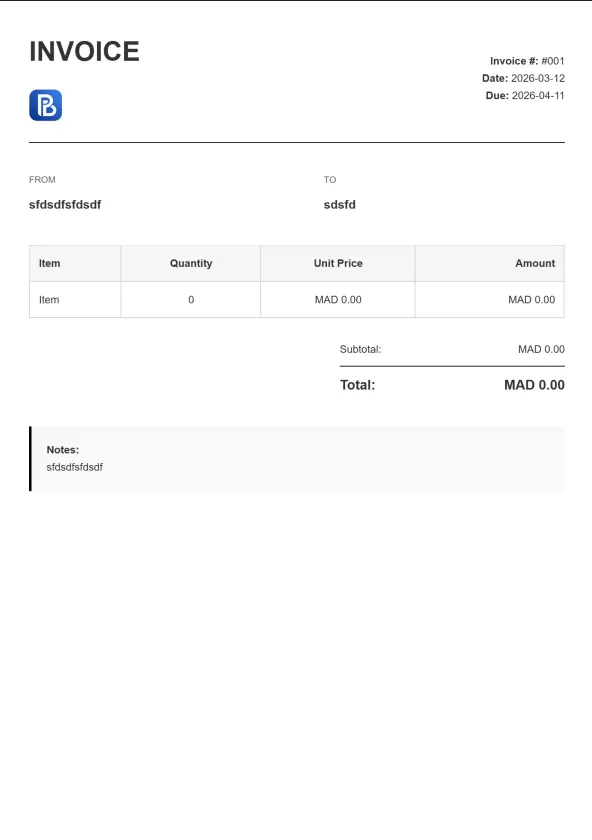
Grab a ready-to-use service invoice example from the free invoice generator and follow these quick steps to adapt it:
- Open the generator and select “Service” under invoice templates.
- Fill the header with your company and client details. If unsure about field order, review the essential details to include on an invoice.
- Add your line items, hourly rates, and taxes; built-in formulas calculate subtotals automatically, eliminating Excel errors.
- Upload a logo and adjust colors so the file matches your brand, reinforcing the service invoice meaning of professionalism and clarity.
- Click “Download PDF” to lock formatting or “Save to Cloud” for easy edits later. Either option ensures the document meets what to include in a service invoice guidelines.
Because the template is hosted online, you skip manual math and can resend updated versions without confusing file names—ideal when scope changes call for credit invoices for billing adjustments. Once you’ve customized the sample, you have a reusable blueprint for every future professional service invoice you issue.
Streamlining Service Billing: Automation Tools That Get You Paid Faster

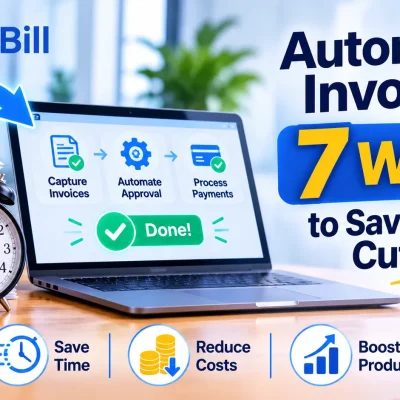
Setting up recurring invoices, payment reminders, and auto-billing
Automation starts with a repeatable foundation. In Create Invoice, open the library of invoice templates and pick the layout that matches your service invoice format. Niche providers—say, agencies on retainer or advisors on monthly fees—can speed things up further with tailored business invoice templates or industry-specific options such as consulting invoice templates, all categorized inside the hub of invoice resources by industry.
- Schedule frequency and duration. After you select a design, toggle “Make recurring,” choose the interval (weekly, monthly, or custom), and set an end date if needed. Beginners can review the step-by-step guide on how to create an invoice for services to confirm they are still covering what to include in a service invoice.
- Auto-populate core fields. The platform pulls client data, line items, and taxes from your last professional service invoice, ensuring every new cycle meets the standards in the essential details to include on an invoice.
- Activate smart reminders. Configure emails or SMS to fire 3 days before the due date and again on Day 1 overdue. Users of the mobile-friendly Probill Invoice maker app can trigger push notifications instead, keeping service billing on track while you’re in the field.
- Enable card-on-file auto-billing. Securely store customer payment tokens so the balance is captured the moment the service invoice example posts. If scope changes later, issue credit invoices for billing adjustments to reconcile automatically at the next cycle.
- Test the workflow. Use the free invoice generator to run a sandbox copy and confirm amounts before you hit “Go live.” The same page lets you instantly generate a professional service invoice for a real client once everything checks out.
By the time the first scheduled email lands, you have eliminated manual follow-ups, reduced late-payment risk, and preserved the service invoice meaning of clarity and professionalism.
Integrating your invoice workflow with accounting, CRM, and payment gateways
Tight integrations move data seamlessly from your invoicing tool to the systems that reconcile books, nurture clients, and collect funds.
| Integration target | Data synced | Primary benefit | Helpful resources |
|---|---|---|---|
| Accounting software (e.g., QuickBooks, Xero) | Totals, taxes, credit notes | Real-time P&L updates and automated journal entries | Export PDFs or CSVs in any of the examples of different invoice formats |
| CRM platform | Contact info, invoice status, follow-up tasks | Sales teams see payment history next to deals, ensuring they are identifying the correct invoice recipient every time | Link one-off invoices for individual jobs to project milestones |
| Payment gateways (Stripe, PayPal, ACH) | Transaction IDs, fee breakdown | Instant confirmation of successful charges and auto-refunds for partial credits | Auto-adjust via credit invoices for billing adjustments |
Connecting these systems takes only a few clicks inside the Create Invoice dashboard: choose the app, authorize access, map fields, and run a test transaction. Future invoices—recurring or single—push to each platform the moment they are sent, so your ledger, pipeline, and cash balance stay in sync without extra data entry.
Design Hacks for a Professional Service Invoice That Builds Trust
Branding, color, and typography tips that make you look credible
Consistency between your invoice and other client touchpoints instantly signals professionalism. Start by selecting an invoice template from Create Invoice or the mobile-friendly Probill Invoice maker app and brand it the same way you do proposals or reports.
A coherent visual system—logo, color palette, and typography—guides the client’s eye straight to the grand total without distractions. Stick to your primary brand color for headings, apply a neutral background, and reserve an accent shade for callouts like “Due Date” so nothing competes with key numbers. The free invoice generator lets you preview these tweaks live, ensuring your professional service invoice remains legible on both desktop and mobile.
Readable fonts are non-negotiable. Use one sans-serif family (e.g., Roboto) for body text at 10–11 pt and a contrasting weight or size for column headers. Mixing more than two fonts breaks hierarchy and looks amateur. If you need inspiration, explore the examples of different invoice formats to see how top agencies separate task descriptions, subtotals, and footnotes without clutter.
Whitespace builds trust as effectively as color. Generous margins around line items make the service invoice format scannable, which reassures approvers that no hidden fees lurk in dense text. When you customise business invoice templates or niche-specific consulting invoice templates, ensure your column widths allow at least 30 % of the page to remain blank. This breathing room matches accessibility standards and prevents details from bleeding when converted to PDF.
Quick visual wins:
- Match your logo’s dominant hue to the header bar and grand-total text.
- Use a single accent color for hyperlinks, especially if you embed a payment URL.
- Align all monetary figures right to create an easy vertical audit trail.
- Add a subtle watermark or badge referencing awards or certifications to reinforce expertise without shouting.
By applying these choices consistently, every service invoice example you issue reinforces your brand promise and makes service billing feel transparent rather than transactional.
Adding legal language and clear payment terms to avoid disputes
Visual polish means little if the fine print is vague. Embed short, plain-English clauses beneath the totals so clients know exactly what to include in a service invoice from a compliance standpoint.
- State payment window and method: “Net 15 via ACH or card” is clearer than “Due upon receipt.” Link directly to an online portal when you generate a professional service invoice.
- Specify late-fee policy: E.g., “2 % per month after Day 16.” This sets expectations before an account becomes overdue.
- Add scope-creep guardrails: Note that additional work requires a revised quote; pair this with guidance on credit invoices for billing adjustments so clients know changes won’t vanish into thin air.
- Include jurisdiction and dispute-resolution venue, especially for cross-border projects. This small line can save weeks of emails later.
- Reference acceptance period: “Discrepancies must be reported within 7 days” prevents month-end surprises.
Keep the language concise—no one reads a wall of text. Use bullet points or a 9-pt footnote in the same font family, maintaining visual harmony with the rest of the service invoice meaning. Finally, double-check recipient details; errors here can nullify all your legal safeguards. The guide on identifying the correct invoice recipient walks you through the final verification step before you hit “Send.”
These small yet critical clauses, combined with thoughtful design, turn a simple document into a trust-building contract that speeds approvals and minimizes disputes.
Frequently Asked Questions About Service Invoices
Do I need a service invoice if I already send quotes?
Yes. A quote is only an estimate, while an invoice is the legally recognized request for payment that confirms the service invoice meaning of completed work. Creating one with the step-by-step guide on how to create an invoice for services and populating it with the fields listed in the essential details to include on an invoice turns your quote into a payable record. If you prefer to skip blank-page setup, load one of the branded invoice templates and issue the document in seconds.
How soon should I send a service invoice after completing work?
Aim to send the invoice immediately—or within 24 hours—so the project is still fresh in your client’s mind and service billing momentum isn’t lost. Mobile tools like the Probill Invoice maker app or the browser-based free invoice generator let you bill on site, even for one-off tasks logged as invoices for individual jobs. Rapid delivery shortens payment cycles and reduces follow-up emails.
Can I charge late fees on a service invoice?
You can, provided the fee and its calculation method are disclosed in advance and embedded in the payment-terms section of the invoice. Many firms hard-code this clause into their business invoice templates so it appears automatically. If a client partially pays and you waive the penalty, issue a quick adjustment through credit invoices for billing adjustments to keep your books accurate.
What’s the best file format to email a service invoice?
A locked PDF preserves layout and branding, making it the safest choice for a professional service invoice. The examples of different invoice formats show why PDFs print predictably compared with Word or Excel. Use Create Invoice or click “Download PDF” after you generate a professional service invoice to send a tamper-proof file that still matches your preferred service invoice format.
How long should I keep copies of my service invoices?
Most tax authorities recommend retaining invoices for at least six to seven years; regulated sectors may require longer, so check the rules in the invoice resources by industry. Storing digital copies in platforms like Create Invoice ensures searchable archives without filling cabinets or risking faded paper.
Are digital signatures legally binding on service invoices?
Yes—laws such as ESIGN in the U.S. and eIDAS in the EU recognize compliant e-signatures as valid. Applying one through a secure PDF signer or cloud workflow keeps your invoice enforceable and helps with identifying the correct invoice recipient. Many firms embed signature blocks in their consulting invoice templates so every outgoing invoice carries an audit-ready seal without extra clicks.