Skip to content

Why Paying Invoices With a Credit Card Can Super-Charge Your Cash Flow
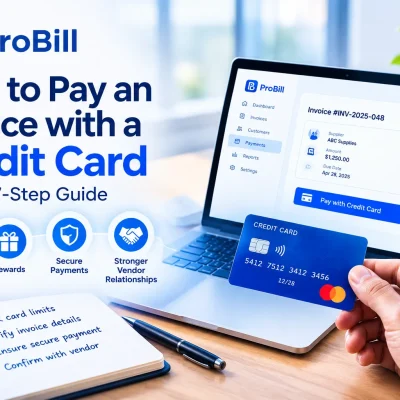
how to pay an invoice with a credit card terms can transform a tight cash cycle into a flexible one. Instead of watching funds disappear the moment you hit “send,” you get a built-in grace period—often up to 55 days—before cash actually leaves your bank. That extra runway lets you cover payroll, stock up on materials, or jump on last-minute deals without scrambling for a short-term loan. It also streamlines back-office work: when every invoice credit card payment funnels through a single statement, reconciling expenses inside your accounting or a free invoice generator becomes far faster.
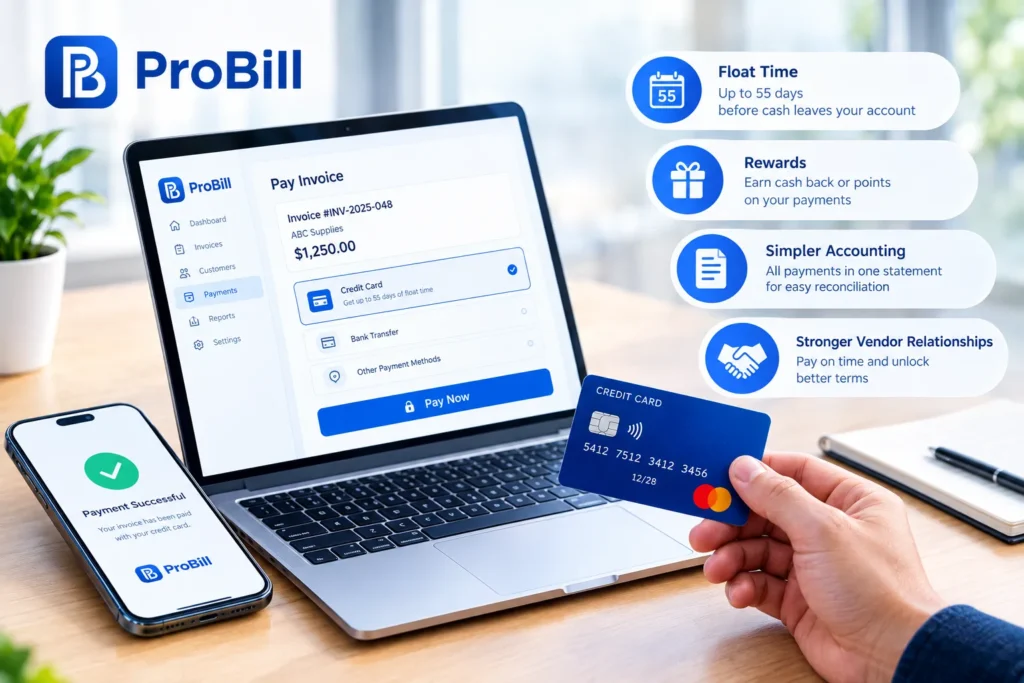
Key advantages: float time, rewards, and stronger vendor relationships
Extended float time
The Federal Reserve notes most business cards include a 21- to 55-day grace period before interest accrues (source: FederalReserve.gov). By choosing to pay invoices with credit card grace days, you effectively turn every supplier into a net-30 or even net-60 arrangement—without renegotiating terms.Meaningful rewards
• Cash-back cards can return 1%–5% on every invoice credit card payment.
• Travel points or vendor-specific rebates convert routine bills into future savings.
• Redeem those rewards to offset software, flights, or subscription costs highlighted in our invoice resources by industry.Simplified record-keeping
Pairing your statement download with Create Invoice or pre-formatted invoice templates lets you match charges and line items in minutes. Fewer reconciliation errors mean faster month-end closes and less time hunting paper receipts.Relationship leverage
Settling a bill immediately—yet not parting with cash for weeks—shows vendors you’re dependable. That reliability can win early-payment discounts, exclusive stock, or priority service. When you can consistently meet or beat terms, suppliers are often willing to extend future credit or provide referral leads.Seamless multi-channel payments
If a vendor balks at card fees, send them our guide on invoice payment methods so they can compare options like ACH, wire, or card surcharging. Educating partners strengthens collaboration rather than sparking fee disputes.
When paying invoices with a credit card may not be the best move
Even the smartest plan to pay invoices with credit card flexibility has limits.
• High processing surcharges – Some suppliers add 2%–4% just to run the card. If the cash-back rate is lower, you’re underwater immediately.
• Interest risk – Carry a balance past the grace period and the average 18% APR can erase months of float advantages. Tapping a business line of credit might be cheaper.
• Credit utilization impact – Maxing out limits for large invoice credit card payment batches can spike utilization above 30%, denting your business credit score.
• Disallowed industries – Certain sectors (like real-estate escrow or firearms) see card networks or processors prohibit payments; confirm rules within vendor contracts.
• Vendor preference – Some small suppliers simply prefer checks or ACH. Our primer on how to pay an invoice outlines polite ways to negotiate payment formats without hurting rapport.
When these red flags appear, shift to ACH or digital wallets and still centralize transactions through the invoice payment dashboard inside your accounting suite. A balanced approach keeps your cash flow strong while ensuring every pay-out method—from cards to bank transfers—fits the situation.
Step-by-Step Guide: How to Pay an Invoice With a Credit Card Securely
Pre-payment checklist: card limits, invoice details, and fraud safeguards

Before you pay invoices with credit card convenience, pause for a 60-second review that keeps your data and cash flow safe.
• Available credit & utilization
Check the card’s available balance and stay under 30% of the limit to protect your business credit score. Your statement inside Create Invoice makes it easy to spot headroom.
• Match the paperwork
Cross-check invoice number, amount due, and vendor name against the PDF or your archived invoice templates. Any mismatch is a red flag.
• Vendor verification
Call the supplier using the phone number stored in your accounting system—never the one printed on a suspicious email. Quick voice confirmation stops the “business email compromise” scam the FBI cites as a $2.4 billion problem.
• Secure environment
Confirm the payment page shows “https://” and a lock icon. If your provider uses a hosted checkout that is PCI DSS Level 1 certified, you inherit that protection (see guidelines at pcisecuritystandards.org).
• Multi-factor controls
Enable 3-D Secure, virtual card numbers, or SMS OTP. Document the setting in your invoice payment policy so every employee follows the same safeguard.
Executing the invoice credit card payment through gateways, links, or phone
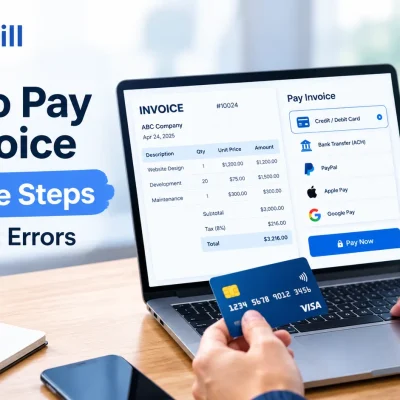
Once your checklist is clear, complete the invoice credit card payment using the channel your vendor prefers.
Online gateway
a. Log into the supplier portal from a bookmarked URL.
b. Enter the card details or an existing token; most gateways mask numbers to meet PCI rules.
c. Save the confirmation number inside your free invoice generator for instant reconciliation.Pay-by-link
a. Open the unique, encrypted link the vendor emailed.
b. Verify the amount matches what you recorded in how to pay an invoice guidelines.
c. Submit payment; download the receipt for industry-specific filing using our invoice resources by industry hub.Phone authorization
a. Call the trusted number on the original invoice.
b. Provide card data verbally; insist the agent keys it into a PCI-compliant virtual terminal.
c. Request an emailed receipt and archive it under “Card—Phone” in your accounting software.
Whichever route you choose, document the transaction type and last four digits of the card. This simple habit keeps every pay invoices with credit card transaction auditable and speeds month-end close when you reconcile against the card statement and your invoice payment methods policy.
Choosing the Right Method: Direct Merchant, Payment Processor, or Third-Party App?
Picking the ideal path to pay invoices with credit card flexibility starts with mapping how each option affects fees, speed, and bookkeeping. Inside the Create Invoice dashboard, compare your vendor list against the three models below so every invoice credit card payment slots into the most efficient lane.
Direct merchant portals vs. integrated payment processors: pros and cons
Most large suppliers host their own checkout page, while smaller vendors bolt a processor such as Stripe or Square onto their invoicing tool. Both let you pay invoices with credit card ease, but the trade-offs vary:
| Decision factor | Direct merchant portal | Integrated payment processor |
|---|---|---|
| Card acceptance rules | Set by the merchant’s bank; limits on refundable items can be strict | Processor handles network compliance, reducing disputes |
| Cost visibility | Fees often buried inside the portal; hard to benchmark | Published rate tables give clearer cost per invoice credit card payment |
| Reconciliation | Unique portal layout; exports may not match your invoice templates | Unified CSV import drops directly into the free invoice generator |
| Cash-flow timing | Funds leave the card instantly; no batching | Processor may allow a delayed capture, extending float |
| Support & chargebacks | Handled by vendor’s A/R team | Processor manages network mediation, saving you emails |
When you need detailed statements for your quarterly close, processors win because their feeds sync with invoice payment APIs. However, if a long-standing vendor offers portal-only card terms plus an early-pay discount, the portal could still be the cheapest way to pay invoices with credit card rewards intact.
Third-party services that let you pay invoices with credit cards—even when vendors don’t accept cards
A growing class of bill-pay apps fronts the card charge, then remits ACH or check to the supplier. They unlock an invoice credit card payment even for “no-card” vendors and slot neatly alongside the invoice payment methods you already track.
- Sign up and add your business card; most platforms tokenize data to stay PCI-DSS Level 1 compliant.
- Upload the PDF or forward the email bill; smart OCR pulls line items into invoice resources by industry categories.
- Pick the delivery rail—ACH, paper check, or wire—and schedule the exact vendor due date.
- The app charges your card immediately, so you still get rewards and up to 55 days of grace before cash leaves the bank.
- Sync the receipt to your ledger or follow the steps in how to pay an invoice for tidy month-end matching.
Third-party tools shine when a critical supplier refuses card fees or when aggregated payments simplify multi-currency bills. Because the intermediary is the actual merchant of record, you secure protections like Visa’s purchase dispute process (see Visa Core Rules) while preserving the float that comes with every plan to pay invoices with credit card discipline.
Cutting Costs: Smart Ways to Offset or Minimize Credit Card Processing Fees
When you regularly pay invoices with credit card convenience, even small processing surcharges can erode the float and rewards you worked hard to secure. The tactics below show how to turn every invoice credit card payment into a net gain instead of a hidden expense. The dashboard inside Create Invoice lets you track each strategy’s impact in real time.
Negotiating lower surcharge rates and selecting low-fee cards
Many suppliers treat card fees as non-negotiable, yet they often have wiggle room—especially if you settle fast and buy in volume.
Open with data, not demands
• Export your last quarter’s spend from the free invoice generator and highlight how quickly you pay.
• Show the vendor that shaving even 0.3 percentage points beats the interest they’d pay on late invoices.Offer mutually beneficial concessions
• Agree to use the vendor’s preferred gateway listed in their invoice templates, which may lower their interchange tier.
• Propose batching several smaller orders into one monthly invoice credit card payment to reduce per-transaction fees.Put “card-on-file” in writing
• A signed agreement—stored alongside how to pay an invoice guidelines—reduces the vendor’s chargeback risk and justifies a lower surcharge.Pick the right plastic
The table below helps you compare cards before you initiate or renegotiate terms.
| Card type | Annual fee | Network fee sensitivity | Best for |
|---|---|---|---|
| Corporate purchasing card | Medium | Lowest effective rate when merchants use Level III data | High-ticket B2B parts |
| Small-business cash-back card | Low | Standard network rates | Everyday supplies |
| Virtual card from an A/P platform | None | Negotiated processor rates | One-off or high-risk vendors |
Choosing a low-fee product keeps room under the vendor’s maximum surcharge. Record the card choice in your invoice payment policy so every employee who will pay invoices with credit card credentials follows the same playbook.
Stacking cashback, points, and early-payment discounts for net savings
Lowering the sticker surcharge is only half of the battle; the rest is turning rewards and vendor incentives into pure margin.
• Sequence the stack
1. Start with a rewards card that matches your spend profile—travel points for on-site installs or straight cash-back for slim-margin goods.
2. Enroll in supplier early-payment programs inside their portal or through invoice payment methods like dynamic discounting.
3. Time the invoice credit card payment so the statement closes the next day, stretching float while still meeting the vendor’s discount window.
• Redeem with intent
• Apply cash-back directly against next month’s card bill inside Create Invoice to see an immediate P&L benefit.
• Convert travel points into flights or lodging listed in the invoice resources by industry hub to avoid cash outlays.
• Automate the proof
Sync every stacked credit to invoice payment reports, then attach them to your vendor record. When auditors ask “Why pay invoices with credit card fees at all?”, you can show the net positive line item. More importantly, you’ll know—without spreadsheets—exactly when a surcharge exceeds the combined value of rewards and discounts, signaling it’s time to switch rails in invoice payment methods or renegotiate again.
Frequently Asked Questions About Paying Invoices With a Credit Card
Using a card to pay invoices with credit card efficiency raises predictable questions around fees, timing, and security. The quick answers below keep every invoice credit card payment smooth and strategic.
Does paying an invoice with a credit card hurt vendor relationships?
No—when handled transparently, it usually strengthens them. A prompt invoice credit card payment gives suppliers immediate confirmation that funds are on the way, which builds trust and can unlock early-pay discounts outlined in our guide on how to pay an invoice. Let vendors know you’re covering fees or using their preferred gateway, and the relationship often improves rather than suffers.
Who pays the processing fee—the buyer or the supplier?
The default network rule says the supplier pays interchange, but many B2B contracts shift the expense. Check the surcharge clause in your purchase order and compare options in invoice payment methods. If the fee lands on you, stack card rewards or early-payment terms so the net cost of a pay invoices with credit card strategy stays neutral or better.
What if my vendor doesn’t accept cards directly?
Use a third-party bill-pay service that charges your card, then remits ACH or check—keeping the float and points intact. Platforms inside Create Invoice let you upload the PDF, schedule payment, and archive the receipt in the free invoice generator for effortless reconciliation. This workaround preserves every invoice credit card payment benefit without asking the supplier to change their tech stack.
How long does an invoice credit card payment take to post?
Card networks batch transactions daily, so most payments reach the vendor’s acquiring bank in one to three business days according to Visa’s settlement guidelines. Your online ledger in invoice payment will show an authorization immediately, then flip to “captured” once the funds settle.
Is it safe to store my card for future invoice payments?
Yes—if the provider is PCI DSS Level 1 certified and uses tokenization. Always verify the lock icon on the checkout page and review the vendor’s compliance certificate at pcisecuritystandards.org. Storing credentials inside your account at Create Invoice applies those same controls, reducing input errors while keeping each pay invoices with credit card transaction encrypted.
Can international invoices be paid with a credit card?
Most corporate cards support cross-border transactions, but expect a 1%–3% foreign-transaction fee plus currency conversion. Check the vendor’s country code against your card’s allowed regions, then duplicate exchange-rate details in your invoice templates or the invoice resources by industry hub for audit clarity. An international invoice credit card payment still gives you float days; just budget for the added fee when comparing payment rails.