Skip to content
How to Create an Invoice PDF: Quick Answer
Simple Steps to Create Invoice PDF
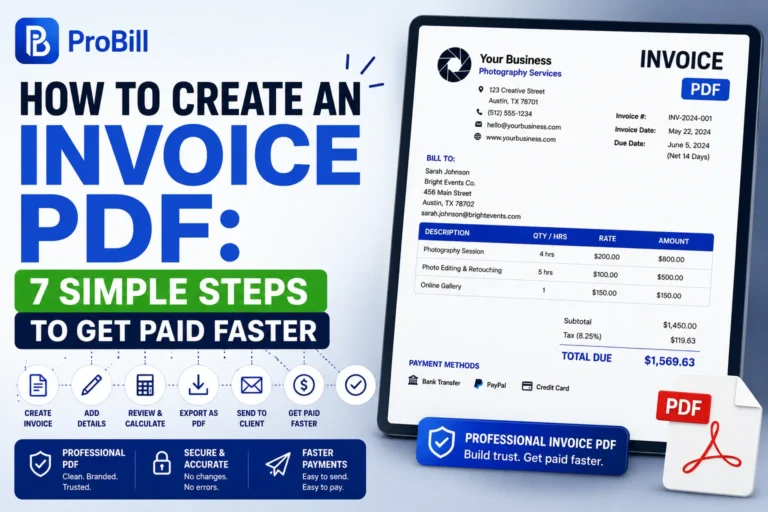
Creating an invoice PDF boils down to three essentials: gather all necessary information, draft the invoice clearly, and convert it to PDF format. Start by compiling client details, services or products provided, quantities, and prices. Then, draft the invoice using any word processor, spreadsheet, or specialized invoicing software. Finally, export or save the completed document as a PDF. This format ensures your invoice maintains its layout and can be easily shared or printed without modification errors. If you want to start from the beginning, see our complete guide on how to create invoices.
Using Online Tools for PDF Invoice Creation
Online tools streamline the process to create PDF invoice documents fast, especially for freelancers or small business owners lacking robust software. Free online invoice generators allow you to enter your details, customize layouts, and instantly generate a professional PDF invoice without installing apps. For example, utilizing a reputable invoice generator page lets you create a PDF invoice effortlessly, with no technical skills required. This eliminates common frustrations like formatting errors and saves time compared to manual PDF creation.
Step-by-Step Guide: How to Create an Invoice PDF Correctly
Preparing Invoice Details (client info, items, amounts)
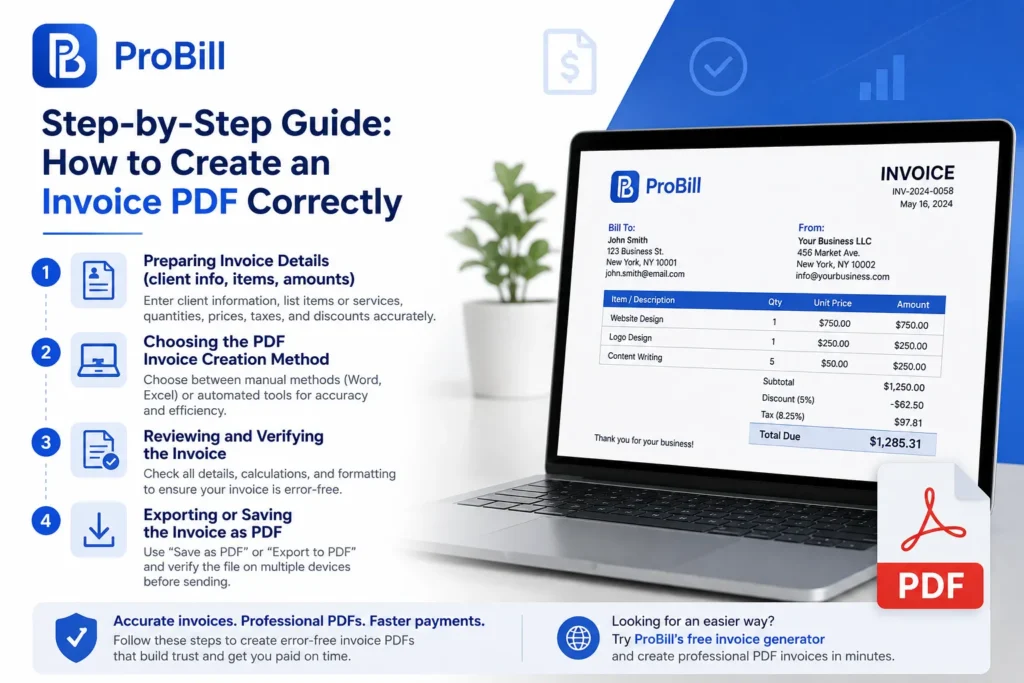
The foundation of any accurate invoice is complete and precise data. Always verify your client’s full name, address, and contact details before starting. List all products or services clearly, including quantities, unit prices, and applicable taxes or discounts. For example, a freelancer billing a design project should detail hours worked, rates, and milestone payments. Missing or vague itemization leads to client confusion and delayed payments.
Choosing the PDF Invoice Creation Method
Decide whether to create your PDF invoice manually or with tools based on your volume and tech comfort. Manual methods include using Microsoft Word or Excel templates, suitable for occasional invoices but prone to formatting errors. Automated options like an online invoice generator accelerate the process and reduce mistakes. As a small business owner, using a dedicated tool ensures professional layout consistency and faster turnaround. Choosing wisely cuts errors and saves time on invoice revisions. Starting with an invoice template can make it easier to create a professional PDF.
Exporting or Saving the Invoice as PDF
After finalizing your invoice document, exporting it correctly is crucial. Use the “Save as PDF” or “Export to PDF” feature in your software—avoid printing to PDF hacks that can degrade formatting. Confirm all elements, including logos and tables, display properly in the exported file. For instance, inconsistencies in exported PDFs can render itemized lists unreadable, forcing re-creation. Before sending, open the invoice on multiple devices to check clarity. Proper PDF export protects your invoice integrity and payment reliability.
After creating the PDF, the next step is to send the invoice to your customer. If you are looking for streamlined invoicing, consider a free invoice generator to easily create a PDF invoice without technical skills. Such tools can help you skip complex formatting steps and produce a professional PDF invoice swiftly. For more, check the free invoice generator options.
For official guidelines on invoice content and format, this IRS invoice requirements page provides reliable standards to follow.
Methods to Create Free Invoice PDFs
Using Online Invoice Generators
Online invoice generators offer an immediate way to create invoice PDFs without any cost or software installation. These platforms let you input client and item details, customize the layout, and download a polished PDF instantly. For freelancers juggling multiple clients, this eliminates repetitive setup and reduces formatting errors. One practical option is using a free invoice generator which supports rapid PDF creation across devices. This method suits users who prefer simplicity and speed over designing templates manually.
Creating PDF Invoice with Word or Excel and Exporting
Microsoft Word and Excel remain popular free tools for creating invoice PDFs, especially when pre-built templates are available. You can list services, prices, and client data, then export or “Save As” PDF directly from the program. However, beware of common pitfalls: manual entry in Word often causes misaligned tables, and Excel formulas might be lost on export. A small business owner once faced delayed payments because tax calculations vanished after saving as PDF. Always double-check exported invoices to ensure all details remain intact before sending.
Mobile Apps for PDF Invoice Creation
Mobile apps designed for invoice creation offer on-the-go PDF invoice generation, ideal for entrepreneurs who invoice immediately after service delivery. Many free apps provide basic invoicing functions with PDF export capability. For example, a self-employed consultant can quickly generate a PDF invoice right after a client meeting, speeding up cash flow. The tradeoff is limited customization in free versions and possible watermarking unless upgraded. Consider apps that sync with desktop tools for better data management and professional invoice appearance. You can also create an invoice online for free and save the finished document as a PDF.
IRS invoice requirements provide essential standards for invoice content that you should follow to avoid compliance issues.
Key Elements of a Professional PDF Invoice
Client and Business Information
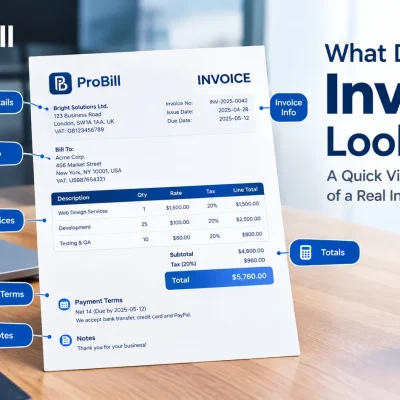
Clear identification is the backbone of any professional invoice. Include full names, addresses, and contact details for both your business and client. Omitting these leads to confusion during payment processing or tax audits. For example, a freelancer who missed adding the client’s mailing address faced delays when the client’s accounting team couldn’t verify the invoice. Always ensure this section is accurate to avoid unnecessary back-and-forth.
Invoice Number and Date
An invoice number uniquely identifies your document and helps track payments. Dates establish the billing cycle and payment deadlines. Skipping invoice numbers or using duplicates complicates bookkeeping and payment follow-up. Small businesses often suffer cash flow problems from misnumbered invoices. Use a sequential system and always display the invoice date prominently for clarity.
Itemized List and Costs
Breaking down charges by item or service prevents disputes and speeds payment. Each line should show the description, quantity, unit price, and total cost. Avoid vague entries like “services rendered” without specifics—clients may question the charge, delaying payment. A self-employed consultant increased on-time payments by simply detailing hours worked instead of lump sums. Detailed line items improve transparency and professionalism.
Payment Terms and Details
Explicit payment terms—such as due date, accepted payment methods, and late fees—set expectations and reduce confusion. Missing or unclear terms are a common reason invoices go unpaid or late. For instance, a graphic designer learned that specifying “Net 15 days” and including PayPal and bank transfer options reduced overdue bills by 40%. Always list payment instructions clearly to protect your cash flow.
Invoice templates can help ensure every key element is included and well-formatted, saving time and preventing costly omissions.
Common Mistakes When Creating PDF Invoices and How to Avoid Them
Missing Client or Invoice Information
Invoices lacking critical client or invoice data cause frequent payment delays. Forgetting the client’s full address or omitting the invoice number leads to processing hold-ups. For instance, a freelancer once delayed receiving payment because their invoice missed the client’s VAT number required for accounting. Always double-check that each invoice includes accurate client details and a unique invoice number to streamline payment and bookkeeping.
Improper Formatting Affecting Readability
Unclear layout or inconsistent fonts confuse clients and can create doubt about professionalism. Crowded text blocks or misaligned columns often occur when creating invoice PDFs manually. A small business owner experienced pushback after their invoice’s item list appeared cluttered, causing client inquiries and invoice disputes. Using simple, consistent formatting ensures your PDF invoice is easy to read and reduces follow-up questions.
Not Exporting Correctly as PDF
Some users rely on print-to-PDF options that degrade quality or miss embedded images and tables. For example, an entrepreneur found that their exported invoice lost the company logo and altered tables, leading to client distrust. Always use “Save as PDF” or “Export to PDF” features from your software when you create invoice PDFs. Preview the file on multiple devices before sending to maintain document integrity and prevent payment delays.
Lack of Payment Tracking
Failing to track invoice status can lead to repeated follow-ups or lost payments. Many manual processes lack automated reminders or payment confirmations. A freelance designer reported losing track of unpaid invoices when relying solely on email, resulting in significant overdue accounts. Implementing even simple digital tools that log invoice issuance and payments improves cash flow and client accountability.
Occasionally, using reliable tools like a free invoice generator can help minimize these mistakes by guiding proper PDF invoice creation and management. For authoritative billing standards, refer to IRS invoice requirements.
Tips to Simplify and Speed Up PDF Invoice Creation
Use Pre-designed Invoice Templates
Pre-designed templates eliminate layout guesswork and save setup time. Templates ensure consistent branding and proper formatting, which helps prevent errors that could delay payment. For example, a freelancer switching from manual invoices to templates reduced invoice preparation time by half while enhancing professionalism. Keep a small library of versatile templates ready for different client needs to avoid recreating layouts from scratch each time.
Automate Data Input with Invoice Management Tools
Automation cuts repetitive entry errors and accelerates invoice creation. Using tools that store client info and product lists lets you insert data with a few clicks instead of typing everything manually. A small business owner reported fewer mistakes and faster billing cycles after adopting an invoice management tool that auto-filled client addresses and pricing. Automate calculations, taxes, and payment terms whenever possible to minimize manual interventions.
Regularly Update Invoice Information
Maintaining up-to-date client contacts, pricing, and payment terms prevents rework when creating PDF invoices. Outdated details cause confusion and delays—for instance, a consultant once reissued an invoice after realizing their client had moved offices. Regular audits of your invoice data speed up invoice PDF creation by avoiding last-minute edits. Schedule quarterly reviews to keep templates and client databases current.
Double-check Before PDF Export
A quick final review before exporting ensures the invoice PDF is error-free and professional. Check alignment, spelling, math, and completeness of all details. For example, missing payment instructions have caused freelancers to face delayed payments despite sending timely invoices. Preview your invoice on multiple devices to confirm visual integrity. This last step avoids costly re-sends and project cash flow interruptions.
To simplify your process further, explore customizable invoice templates that integrate well with common invoice management tools.
Invoice PDF Templates and Resources to Download
Where to Find Free PDF Invoice Templates
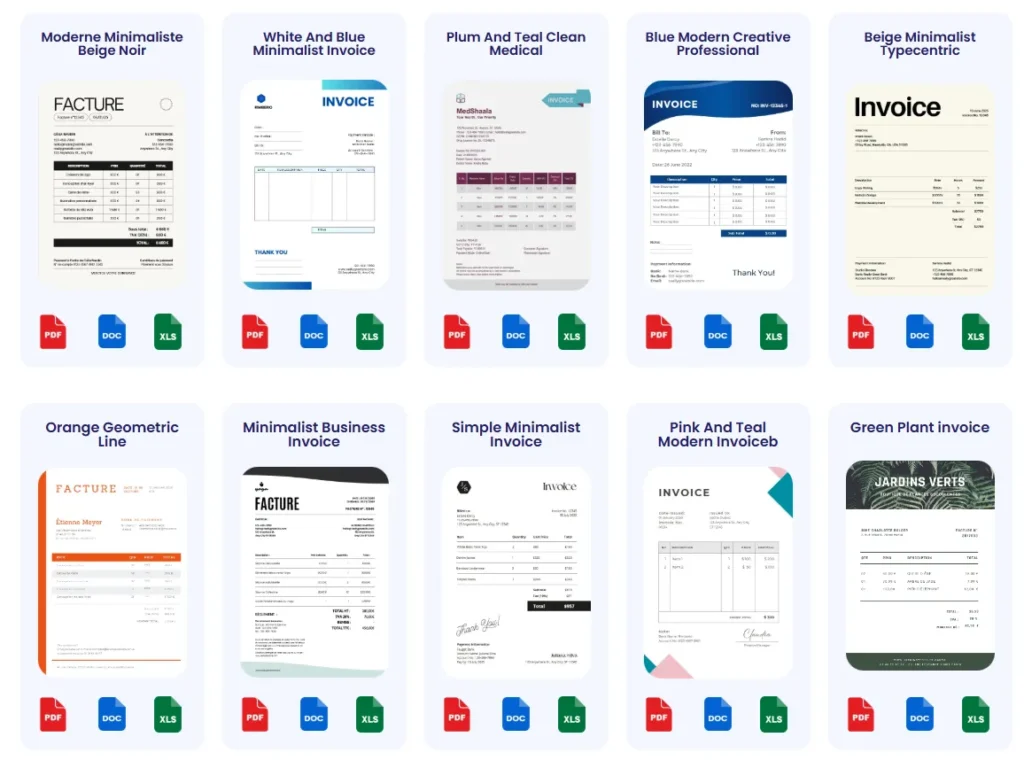
Free PDF invoice templates are widely available but vary significantly in quality and customization options. Popular sources include office suite template libraries and freelance marketplaces. However, many lack flexibility, forcing manual edits after download. For example, a small business owner struggled when a downloaded template didn’t support adding tax breakdowns, requiring a complete redesign. Reliable platforms like invoice templates provide professionally designed, fully editable PDF templates tailored for freelancers and entrepreneurs, saving hours on layout adjustments.
Using and Customizing Templates
Templates serve as a foundation, but customization distinguishes your invoice from generic documents. Adjust branding elements such as logos, colors, and fonts to maintain consistency. Real-world mistakes often stem from overlooked fields—sometimes the payment terms remain generic or crucial client info is missing. A freelancer reported delayed payments from clients due to unclear terms left unchanged on a generic template. Many PDF editors or invoicing tools allow easy modification of templates before exporting, enabling you to create a personalized, accurate invoice PDF without starting from scratch.
Integrating Templates with Invoice Tools
Manually filling templates is time-consuming and error-prone. Integration with invoice management tools streamlines this by auto-populating client, product, and pricing details directly into the PDF template. A small business that integrated templates with its invoicing software reduced invoice generation time by over 50%, avoiding copy-paste errors. Tools like Probill’s invoice generator offer such integration, allowing you to select a template and instantly create a PDF invoice with preloaded data. This synergy between templates and automated tools is essential to efficiently create invoice PDFs that look professional while saving effort.
Explore customizable invoice templates that integrate seamlessly with modern invoice management tools to optimize your invoicing workflow.
Frequently Asked Questions about Creating Invoice PDFs
How do I create an invoice PDF quickly without software?
Using free online invoice generators is the fastest way to create a PDF invoice without installing software. These tools let you enter client info and items, customize layouts, then download a ready-to-send PDF. This approach eliminates formatting hassles common with Word or Excel. For example, freelancers often rely on instant PDF creation from generators to invoice multiple clients on tight schedules.
Can I create a PDF invoice using Microsoft Word or Excel?
Yes, both Word and Excel allow you to design invoices and export them as PDF files. However, manual formatting in Word can cause misaligned tables, and Excel formulas may not export correctly. A common mistake is losing tax or total calculations after saving as PDF, delaying payments. Always preview and verify all fields after export to ensure accuracy.
Which mobile apps are best for creating invoice PDFs on the go?
Mobile invoicing apps designed for freelancers and small business owners are ideal for creating PDF invoices immediately after service. These apps often support PDF export and client management but may limit customization unless upgraded. A real-world example is a consultant using an app to invoice clients right after meetings, accelerating cash flow without waiting to return to a desktop.
What information is mandatory on a PDF invoice?
Every PDF invoice must include client and business contact details, a unique invoice number, the invoice date, detailed itemization with costs, and clear payment terms. Missing any of these elements can cause confusion or payment delays. For instance, omitting the payment due date often results in longer collection times, impacting cash flow.
How do I avoid common mistakes when creating PDF invoices?
Avoid missing client info, invoice numbers, or unclear payment terms. Use consistent formatting to prevent readability issues and always export invoices using proper “Save as PDF” rather than print-to-PDF methods. Additionally, track invoice status to avoid lost payments. Freelancers who adopted checklist routines before exporting report fewer errors and faster payments.
Are there free tools or templates to help create PDF invoices professionally?
Yes, many websites offer free downloadable PDF invoice templates and web-based generators that simplify creating professional invoices. These resources reduce manual errors and improve layout consistency. For ongoing needs, integrating templates with online invoice tools ensures quick data fills and accurate PDFs without starting from scratch each time.
Can I customize PDF invoices to match my brand?
Customizable templates and online generators allow adding logos, business colors, and fonts. Ensuring brand consistency boosts professionalism and client recognition. However, some free mobile apps might limit branding options or add watermarks. For a polished look without technical skills, combining templates with online invoice tools strikes the best balance.
How do I make sure my PDF invoice is accepted for tax purposes?
Including all required client and seller details, item descriptions, tax amounts, and a unique invoice number is essential for tax compliance. Follow guidelines by official tax authorities such as the IRS invoice requirements. Keeping digital copies and issuing invoices promptly also supports smooth tax reporting and auditing processes.
What should I do if a client claims they did not receive my PDF invoice?
Confirm that you sent the PDF via email or another tracked delivery method. Resend the invoice and consider providing a download link through an invoice management platform. Avoiding ambiguous filenames and ensuring the PDF opens correctly on various devices reduces miscommunication. Using an online invoice generator often includes automated sending and status tracking to prevent such issues.
Is it better to create invoice PDFs manually or use an online generator?
For low volume or highly customized invoices, manual creation might suffice but often slows down billing. Online generators minimize errors, enforce professional formatting, and speed up invoice production. Many small businesses and freelancers find that combining templates with an online invoice generator offers a balance of speed, customization, and accuracy.
For tools that simplify and accelerate PDF invoice creation, consider exploring a free invoice generator that supports easy customization and quick export.
Try Probill to Create Invoice PDFs Faster
Overview of Probill Online Invoice Generator Features
Probill’s online invoice generator simplifies how to create an invoice PDF by combining essential features in one place. You can input client details, add multiple line items, apply taxes or discounts, and instantly generate a polished PDF invoice without software installation. Its intuitive interface minimizes errors common in manual PDF invoicing, such as misaligned columns or missing payment terms. A freelancer reported cutting invoice preparation time by 70% after switching to Probill, thanks to automatic calculations and real-time previews.
Benefits of Using Probill for PDF Invoice Creation from Any Device
One major advantage of Probill is device-agnostic access; whether on desktop, tablet, or smartphone, you can create a pdf invoice anywhere. This mobile-friendly design helps small business owners invoice immediately after service delivery, reducing payment delays. Probill also stores client and product information securely, so repeat invoices take seconds. Unlike many free tools, it supports customized branding and tracks invoice statuses, combining professional appearance with useful management features in one platform.
Call to Action: Try the Free Invoice Generator
For a straightforward way to create free invoice PDF documents without software hassles, try Probill’s free invoice generator. It eliminates the need for manual formatting and PDF export complications, speeding up your billing process instantly. Start using Probill today to generate error-free, professional invoices that save time and enhance your payment workflows.