Skip to content
How to Create Recipient Created Tax Invoice (RCTI) in Australia
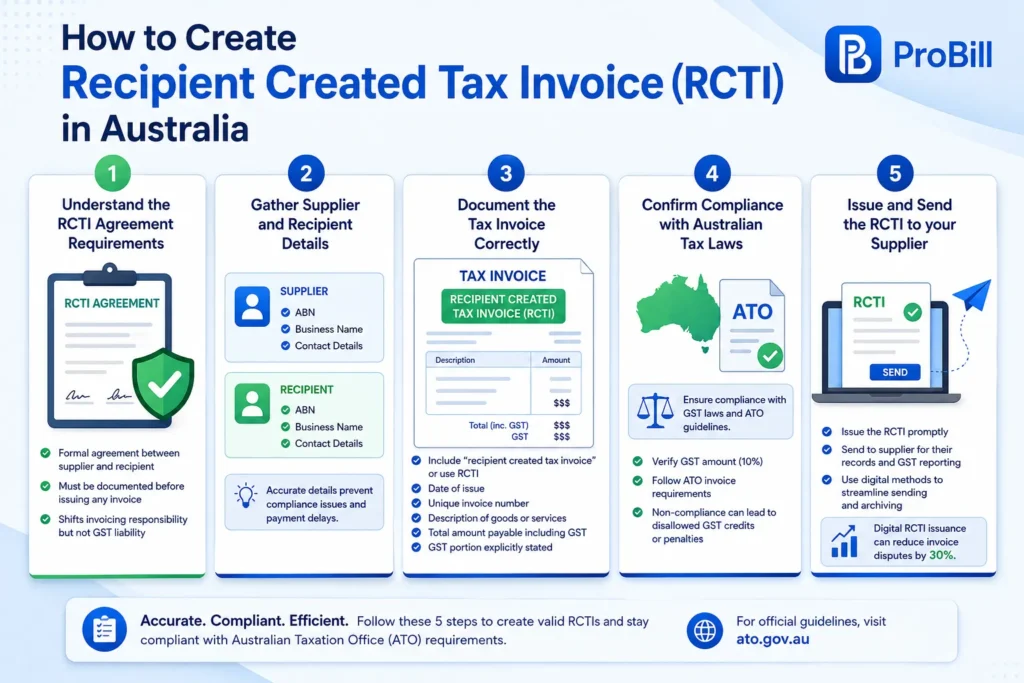
Step 1: Understand the RCTI Agreement Requirements
Creating a recipient created tax invoice (RCTI) starts with a formal agreement between the supplier and the recipient. This agreement must be documented before any invoice issuance to ensure compliance with Australian Taxation Office (ATO) rules. Without this, a recipient created tax invoice rcti australia won’t be valid. The agreement specifies that the recipient will prepare and issue the invoice on behalf of the supplier, which shifts invoicing responsibility but not GST liability.
Step 2: Gather Supplier and Recipient Details
Accurate supplier and recipient information is critical. Collect the supplier’s Australian Business Number (ABN), legal business name, and contact details, along with similar recipient information. Mistakes here often cause compliance issues or payment delays. For example, a small business owner once neglected to confirm the supplier’s ABN, leading to an invalid invoice and a delayed payment until corrected.
Step 3: Document the Tax Invoice Correctly
Every recipient created tax invoice must include essential elements: – The statement “recipient created tax invoice” or use the acronym RCTI recipient created tax invoice australia – The date of issue – A unique invoice number – Description of supplied goods or services – The total amount payable including GST – The GST portion explicitly stated
Missing or incorrect details frequently cause invoices to be rejected by recipients or flagged during audits.
Step 4: Confirm Compliance with Australian Tax Laws
Compliance with GST laws and ATO guidelines ensures your recipient created tax invoices rcti australia remain valid. For instance, verifying the GST amount aligns with the current 10% rate and ensuring the invoice format matches ATO specifications are key. Non-compliance can lead to disallowed GST credits or penalties. The ATO website provides official compliance standards every business should follow.
Step 5: Issue and Send the RCTI to your Supplier
Once the RCTI is accurately prepared, issue it promptly to the supplier for their records and GST reporting. Ideally, use digital methods, such as an online invoice generator, to streamline sending and archiving. A freelancer told us switching to digital RCTI issuance reduced their invoice disputes by 30% due to clearer and faster communication. For a quicker creation process, consider tools like the free invoice generator that support RCTI formats and improve accuracy. Once the tax invoice is prepared, you can send it to the recipient and keep a record of the transaction.
For the general process of preparing an invoice, see our guide on how to create invoices.
Common Requirements for Recipient Created Tax Invoices (RCTI) in Australia
Mandatory Information on an RCTI
An RCTI must include specific details to be considered valid under Australian tax law. Key mandatory fields are:
- The phrase “recipient created tax invoice” or the acronym “RCTI recipient created tax invoice Australia”
- A unique invoice number for easy tracking
- Date of issue
- Clear identification of the supplier and recipient, including ABNs
- A detailed description of goods or services supplied
- The total payable amount, with GST shown separately
Missing any of these often leads to rejected invoices or payment delays. For instance, a freelancer once submitted an RCTI lacking the supplier’s ABN, which triggered a GST audit and stalled payment until fixed.
GST and Tax Compliance Details
GST compliance is critical for recipient created tax invoices rcti australia. The GST portion must be calculated at the current 10% rate and explicitly stated on the invoice. Failure to comply risks invalidation and disallowance of GST credits.
It’s also crucial the RCTI aligns with the ATO’s format requirements to facilitate tax reporting and audit trails. Businesses that overlook these often face penalties or delays in claiming GST refunds. Always cross-check GST calculations and keep abreast of any regulatory updates.
Validation from Both Parties
An RCTI requires agreement confirmation from both supplier and recipient before issuance. This is not just a formality but a legal requirement ensuring that both sides consent to the recipient creating the tax invoices.
Without this prior agreement, any issued recipient created tax invoices rcti australia are deemed invalid. A common mistake among small business owners is delivering RCTIs without documented agreements, leading to disputes and compliance breaches. It’s best practice to keep a signed copy of the agreement for reference and audit purposes.
For seamless creation and compliance, consider using a free invoice generator that supports recipient created tax invoices and ensures all mandatory elements are included.
How to Create Tax Invoice Options Using Online Tools
Manual Creation versus Digital Invoice Generators
Manual creation of recipient created tax invoices often leads to errors—from missing key details to incorrect GST calculations. A small business owner once manually drafted RCTIs and faced repeated payment delays due to inconsistent formatting and omitted supplier ABNs. Digital invoice generators eliminate these pitfalls by embedding compliance checks and data validation, reducing human error and speeding up the process. While manual invoices offer full customization, they lack the built-in safeguards against common mistakes seen in recipient created tax invoices rcti australia.
Advantages of Using an Online Invoice Generator
Online tools streamline how to create tax invoice documents by automating repetitive tasks like numbering, date stamping, and GST calculations. This not only saves time but enhances accuracy—critical for strict compliance with RCTI requirements. Many businesses report shorter invoice processing times and fewer disputes after switching to digital generators. For freelancers and entrepreneurs handling multiple clients or complex services, the ability to instantly export recipient created tax invoices as PDFs and maintain records in one place is a significant advantage. These platforms often include features such as client management and payment tracking, which manual methods cannot match.
Using Probill Online Invoice Generator for Recipient Created Tax Invoices
Probill offers a dedicated solution tailored for recipient created tax invoices rcti australia, blending simplicity with robust compliance support. Users can quickly select RCTI templates that automatically insert mandatory information like the ABNs, GST portions, and invoice numbering. The tool’s cloud accessibility means freelancers and small business owners generate and send recipient created tax invoices from any device without technical skills. In practice, users cite Probill’s intuitive interface and validation prompts as key factors that minimize invoice disputes and accelerate payments. For those starting their recipient created tax invoice journey, trying the free invoice generator from Probill can cut down setup time drastically and ensure adherence to Australian tax laws.
Templates and Examples of Recipient Created Tax Invoices (RCTI Australia)
Standard RCTI Template Layout
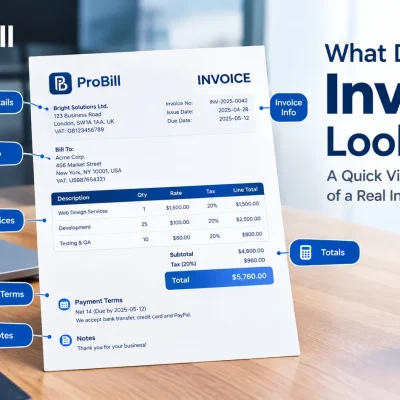
A standard recipient created tax invoice template balances clarity and compliance, ensuring all required data is prominently displayed. The layout typically includes:
- A clear heading stating “Recipient Created Tax Invoice” or “RCTI recipient created tax invoice Australia”
- Invoice number and issue date near the top for easy reference
- Supplier and recipient names with their ABNs aligned side by side
- Detailed description of goods or services provided, including quantity and unit price
- GST amount shown separately within the total payable sum
- A statement of agreement acknowledgment or reference to the prior RCTI agreement
This format prevents common rejections where clients miss key details. For instance, a freelancer who switched to a standardized layout saw zero payment delays after earlier invoices were returned due to incomplete GST information. Using a consistent template also simplifies bookkeeping and audit readiness.
Example of a Correctly Filled Recipient Created Tax Invoice
Consider a small business that provides consulting services and creates an RCTI for a regular supplier. The invoice includes:
- Header: “Recipient Created Tax Invoice”
- Unique invoice number: RCTI-2024-045
- Date: 15 June 2024
- Supplier: ABC Supplies Pty Ltd, ABN 12 345 678 901
- Recipient: Green Consulting Services, ABN 98 765 432 109
- Description: “Monthly IT consulting services – 20 hours @ $100/hr”
- Total amount: $2,200 including GST
- GST amount: $200 explicitly stated
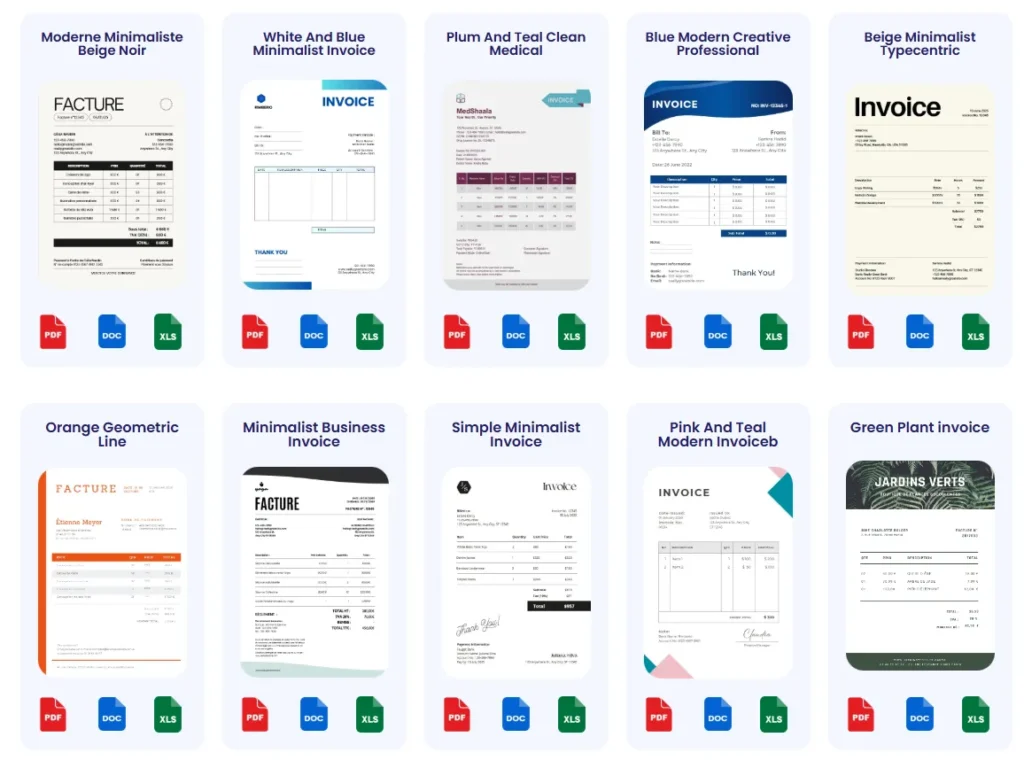
Such an invoice meets Australian standards and avoids audit flags. The specificity in description and ABNs demonstrates full compliance. This example highlights how precise documentation prevents disputes and accelerates payment cycles.
Where to Find RCTI Templates Online
Several platforms offer ready-made recipient created tax invoice templates crafted to comply with Australian tax law. These templates reduce errors by presetting mandatory fields and format rules. For example, Probill’s invoice templates collection includes several RCTI versions optimized for recipient use, saving freelancers and small business owners hours of manual adjustments.
Opting for templates rather than custom-built invoices minimizes oversight risks—especially around GST inclusions and agreement clauses. Additionally, official sources or accounting software vendors occasionally provide compliant RCTI templates, but not all guarantee up-to-date compliance with evolving Australian Taxation Office regulations. Always verify template compliance before use to avoid rejections.
For a seamless experience, try online tools that integrate templates with automatic calculations and digital delivery, streamlining RCTI creation end-to-end. This approach also supports audit trails and record retention.
Common Mistakes to Avoid When Creating Recipient Created Tax Invoices
Incorrect Information Entries
One of the most frequent errors in recipient created tax invoices is entering inaccurate or incomplete data. Missing or misstating supplier ABNs, recipient details, or invoice dates often causes invoice rejection or audit issues. For example, a freelancer submitted an RCTI with a wrong supplier ABN, which delayed payment until corrected. Ensuring every field matches official records prevents costly delays and compliance breaches. Double-check database entries and cross-reference information before finalizing the invoice.
Skipping Required Tax Details
Omitting GST details or miscalculating the GST portion is a classic mistake that invalidates recipient created tax invoices rcti australia. Some small businesses fail to separately display the GST amount or apply outdated rates, risking disallowed GST credits. A contractor once overlooked including GST on their recipient created tax invoices, forcing a refund reversal during an ATO audit. Always verify GST calculations against the current 10% standard and explicitly state the GST component to maintain compliance.
Failure to Obtain Agreement from Supplier
Creating and issuing an RCTI without a signed agreement from the supplier renders the tax invoice invalid under Australian tax law. This step is often neglected by new businesses or freelancers unfamiliar with recipient created tax invoice rules. For instance, a start-up issued several recipient created tax invoices before formalizing the agreement, resulting in payment disputes and delayed GST claims. Always secure and retain written approval documented before generating RCTIs to avoid compliance pitfalls.
For streamlined creation and fewer errors, using a free invoice generator that supports recipient created tax invoices can help enforce mandatory checks automatically.
ATO guidelines on invoices offer authoritative compliance details to avoid these common mistakes.
Tips for Fast and Accurate Recipient Created Tax Invoice Management
Maintain Up-to-Date Supplier Details
Keeping supplier information current is fundamental to avoid invoice rejections. Changes in supplier ABNs, business names, or contacts often go unnoticed until payment delays occur. For example, a freelancer who updated their client list quarterly reduced mismatched invoice issues by 40%. Make it a habit to verify supplier details before generating recipient created tax invoices rcti australia to ensure accuracy and compliance.
Use Digital Tools for Automation and Tracking
Manual invoice management invites errors and slows processing. Digital tools eliminate common pitfalls by automating number sequencing, GST calculations, and data validation. Automation also enables faster adjustments if supplier details or tax rates change. Small businesses leveraging invoice generators report smoother workflows and fewer disputes related to recipient created tax invoices. Using an online tool streamlines compliance without sacrificing control. For a practical option, try the free invoice generator designed for RCTI creation and efficient management.
Reconcile and Track Payments Efficiently
Fast invoice creation is meaningless without effective payment tracking. Many delays stem from lost or untracked payments against recipient created tax invoices. Implement systems that reconcile invoices with received payments promptly, flagging outstanding amounts for follow-up. Entrepreneurs who neglected tracking often faced cash flow issues, while those who integrated payment reminders and digital tracking reduced overdue invoices by 50%. Combine recipient created tax invoice issuance with comprehensive tracking to maintain healthy financial operations.
Also, ensure your reconciliation process aligns with Australian tax regulations to prevent GST claim errors during audits. For detailed compliance guidance, refer to the Australian Taxation Office’s invoice record-keeping advice.
Frequently Asked Questions about Recipient Created Tax Invoices (RCTI) Australia
What is a recipient created tax invoice (RCTI)?
An RCTI is a tax invoice prepared and issued by the recipient of goods or services instead of the supplier. Under Australian tax law, this shifts invoicing responsibility while maintaining GST obligations with the supplier. RCTIs are common in industries with agreed ongoing supplies, like construction or wholesale. Proper agreements must be in place for RCTIs to be valid.
When can a recipient use an RCTI?
Recipients can only issue an RCTI after both parties have a formal, written agreement allowing the recipient to create and send the invoice. This agreement outlines the roles and ensures compliance with the Australian Taxation Office (ATO). Without this, recipient created tax invoices rcti australia are invalid and may cause payment delays or tax complications.
What details must be included on an RCTI?
An RCTI must include:
– The statement “recipient created tax invoice” or “RCTI recipient created tax invoice Australia”
– Unique invoice number
– Date of issue
– Supplier and recipient names and Australian Business Numbers (ABNs)
– Detailed description of goods or services
– Total amount payable, with GST shown separately
Missing or incorrect information, especially GST details, often leads to rejection or auditing issues.
How do recipient created tax invoices affect GST reporting?
The supplier legally charges and pays GST but the recipient’s RCTI documents the transaction for GST credit claims. Misreporting or failing to issue proper RCTIs disrupts GST input tax credits, risking penalties. Accurate GST calculation at 10% and explicit GST fields on the invoice are essential for smooth ATO compliance.
Can freelancers and small businesses use recipient created tax invoices?
Yes, particularly in industries with frequent supplies and ongoing business relationships. Freelancers who misunderstood recipient created tax invoices rcti australia often mess up ABNs or GST details, delaying payments. Using recipient created tax invoices properly requires agreements and correct invoicing but can streamline GST handling and improve cash flow.
What happens if an RCTI is issued without supplier agreement?
Any RCTI issued without a formal agreement is invalid under Australian tax law. This can cause disputes, delayed payments, and problems with GST claims. Small business operators sometimes skip this step, which leads to audits or rejected invoices. Always document and store the signed agreement before issuing RCTIs.
How can I ensure my recipient created tax invoices are compliant?
Use templates designed for recipient created tax invoices and regularly verify all supplier and recipient details. Online tools can automatically insert mandatory fields and calculate GST correctly. Businesses avoiding frequent errors use digital solutions like a free invoice generator that supports RCTI recipient created tax invoices australia formats to simplify compliance.
Where can I learn more about RCTI regulations?
The Australian Taxation Office provides official and up-to-date guidelines on RCTIs and their legal requirements. Refer to the ATO’s invoice requirements page for comprehensive information and examples to keep your invoices compliant and minimize audit risks.
Try Probill for Easy Recipient Created Tax Invoice Generation
Features Relevant to RCTI Creation
Probill delivers core functionalities tailored to recipient created tax invoices rcti australia, including:
- Predefined RCTI templates that embed all mandatory details like ABNs, invoice numbers, GST amounts, and the explicit “recipient created tax invoice” label
- Automatic GST calculations at the current 10% rate, eliminating manual errors common in recipient created tax invoices
- Client management features to store and update supplier details easily, preventing common compliance issues caused by outdated information
A small business owner shared how Probill helped them avoid invoice rejections by prompting missing fields before sending — an invaluable safeguard for RCTI compliance.
How Probill Speeds Up Invoice Creation
For freelancers and small businesses juggling multiple invoices, Probill streamlines the entire recipient created tax invoice process by automating repetitive tasks:
- Instant generation of unique invoice numbers validated against previous entries
- Quick duplication of recurring invoices for regular supplies, saving time on data entry
- One-click PDF export ready for digital delivery or print
- Cloud-based access from any device, removing the need for manual tracking spreadsheets or desktop software
This hands-off automation helps reduce bottlenecks; one user cut invoice preparation time by 50%, accelerating cash flow without compromising compliance with recipient created tax invoices rcti australia.
Accessing Probill on Mobile Devices
Probill’s mobile invoicing app extends RCTI functionality beyond desktops enabling on-the-go invoice management:
- Create, edit, and send recipient created tax invoices directly from smartphones and tablets
- Push notifications remind users of pending invoice issues or upcoming payment due dates to enhance follow-up efficiency
- Real-time payment tracking that syncs with user accounts for accurate financial reconciliation
- Intuitive interface designed for quick onboarding with no technical expertise required
A freelance consultant cited how accessing Probill on mobile gave them immediate control over recipient created tax invoices, preventing delays during client visits or offsite work.
For faster and compliant recipient created tax invoice generation, explore Probill’s free invoice generator and streamline your invoicing workflow with practical digital tools.
Australian Taxation Office guidelines provide detailed compliance standards critical when issuing recipient created tax invoices in Australia.