Skip to content
How to Create a Personal Invoice: Quick Answer
Summary of steps to create a personal invoice
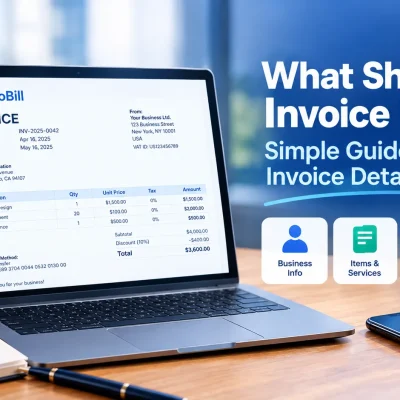
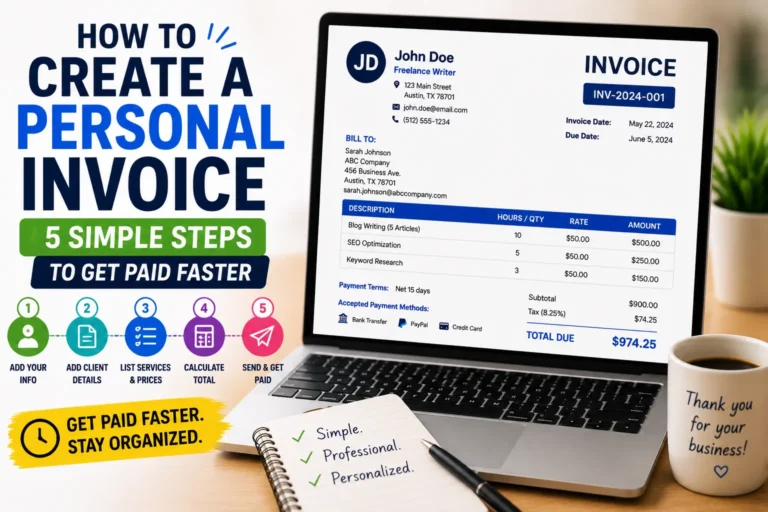
Creating a personal invoice involves five essential steps: first, gather your personal and client details; second, assign a unique invoice number and date; third, itemize the products or services with clear descriptions and prices; fourth, calculate totals including taxes if needed; and fifth, specify payment terms and methods. This streamlined approach ensures accuracy and professionalism, helping freelancers or self-employed individuals avoid payment delays.For the standard invoice creation process, see our guide on how to create invoices.
Link to online invoice generator page for quick start
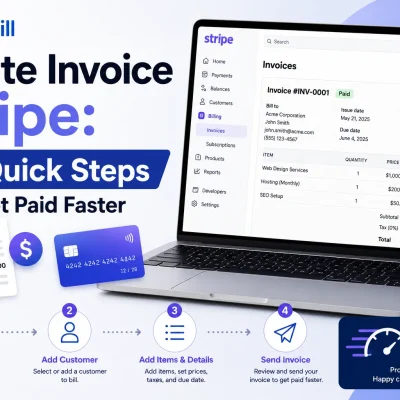
To save time and eliminate manual errors, use a free invoice generator available online. These tools guide you through each step of how to create an invoice as an individual, often allowing instant PDF export and easy client management. For a quick start, visit the free invoice generator page to create your first personal invoice within minutes.
Step-by-Step Guide: How to Create a Personal Invoice
Gather necessary personal and client information
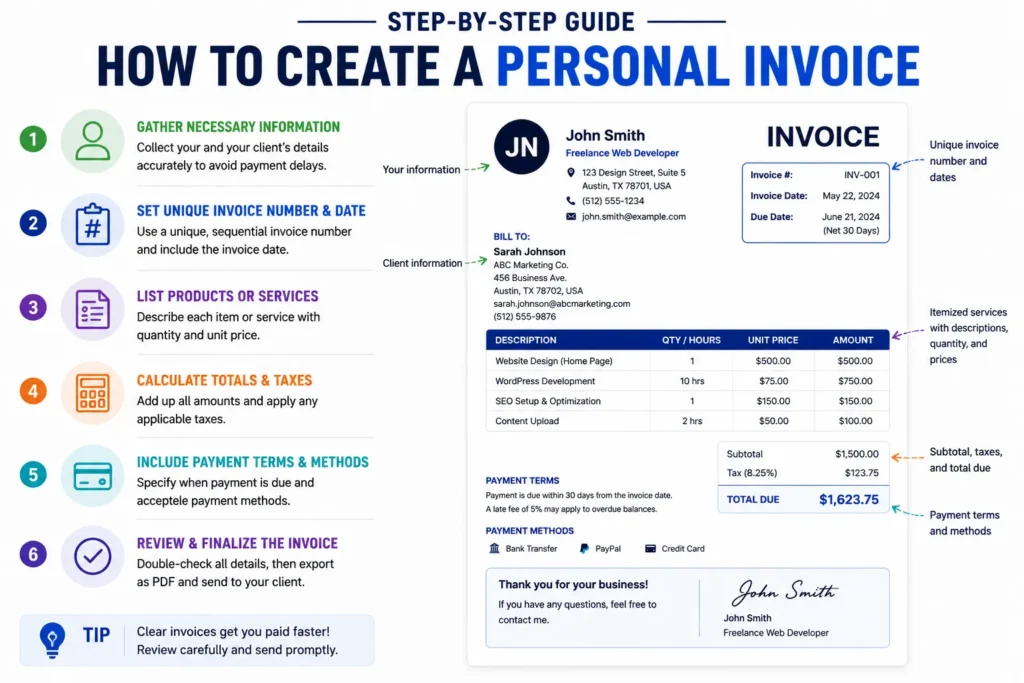
Start by collecting your full name or business name, address, phone number, and email. Equally important are your client’s details: name, company (if any), and complete contact info. Missing or inaccurate client details cause payment delays. For instance, a freelance graphic designer noticed several late payments because invoices did not specify the client’s billing address clearly. Always double-check these before proceeding.
Set unique invoice number and date
Assign a unique, sequential invoice number to each invoice, such as INV-001, INV-002, etc. This simple system prevents confusion and duplicates. The invoice date should be the day you issue the invoice. For example, a self-employed consultant who used random numbering struggled to track unpaid invoices later, demonstrating the value of consistent numbering. Setting due dates relative to the invoice date is essential for clear payment scheduling.
List products or services with descriptions and prices
Describe each product or service with enough detail to avoid ambiguity. Instead of “Consulting,” specify “2-hour business planning session.” Include quantity and unit price for clarity. Small business owners often lose disputes when entries like “Services” are too vague. Accurate, detailed lists reduce follow-up questions and speed payments.
Calculate totals and taxes if applicable
Sum all line item amounts and apply relevant taxes if required by law or agreed terms. Including subtotals and tax amounts makes your invoice transparent and professional. For example, a freelance web developer charging VAT must correctly calculate and display it to comply with regulations. Omitting taxes or miscalculations often lead to invoicing errors and delays. Reference IRS invoice requirements for tax guidance in the U.S.
Include payment terms and methods
Specify when payment is due (e.g., “Net 30 days”) and accepted payment methods like bank transfer, PayPal, or checks. Clear payment terms reduce late payments and disputes. A graphic designer who lacked explicit payment terms found clients delaying payments indefinitely, damaging cash flow. Adding penalties for late payment is optional but sometimes included to encourage promptness.
Review and finalize the invoice
Before sending, verify all information for accuracy—check client details, invoice number, item descriptions, totals, taxes, and payment instructions. Errors are costly: they cause confusion and require reissuing, which slows payment. Use a checklist or preview mode in invoice software to catch mistakes. Once reviewed, export to PDF for a professional format that prevents unwanted edits.
This step-by-step method not only answers how to create an invoice as an individual but also how to create an invoice for self-employed professionals with accuracy and efficiency. Consistent practice streamlines invoicing, protects your payment rights, and enhances your professional image. For occasional billing, you can also create an invoice online for free.
Methods to Create an Invoice as an Individual or Self-Employed
Manual creation with templates
Creating an invoice manually using pre-made templates remains popular among individuals and self-employed workers who prefer full control. Templates in Word or Excel allow custom formatting but often lack automation, increasing the risk of errors in calculations or duplications. A freelance writer learned this the hard way after sending two invoices with the same number, causing client confusion. Template-based invoices require discipline in updating details and tracking payments but allow easy printing or offline use. A simple invoice template can help you organize the required information without designing the document yourself.
Using online invoice generators
Online invoice generators simplify how to create an invoice as an individual by offering guided forms, automatic numbering, and instant PDF export. These tools reduce repetitive tasks and eliminate math errors, speeding up invoice preparation. For example, a self-employed marketing consultant switched to an online generator and cut her invoicing time by half, improving cash flow. Most generators save client info for recurring use and often include basic payment tracking features. For a hassle-free start, try a free invoice generator that balances ease and professionalism.
Benefits of using an invoicing tool like Probill (soft integration)
Using an invoicing tool such as Probill offers advantages beyond basic invoice creation. Probill integrates client management, payment reminders, and tracking into one accessible platform, ideal for freelancers or small business owners managing multiple invoices. Its mobile app enables invoice sending from anywhere, avoiding delays common with desktop-only solutions. One photographer noted reduced payment disputes after switching to Probill’s tool because all invoice details were standardized and stored digitally. Compared to manual or standalone generators, Probill supports growth with scalable features, saving time and minimizing costly invoicing mistakes.
This range of options for how to create an invoice for self employed professionals helps tailor the process to experience level, volume of invoices, and tech comfort, improving efficiency and payment reliability.
Key Elements Required in a Personal Invoice
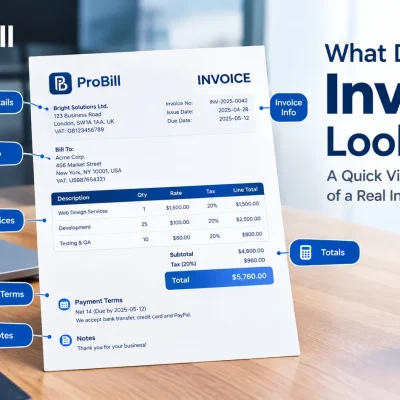
Sender and recipient details
Accurate sender and recipient information anchors a personal invoice’s legitimacy. Include your full name or business name, physical address, phone number, and email. Equally, provide your client’s complete name, company (if applicable), and contact details. Missing or vague client info is a leading cause of delayed payments. For example, a freelance photographer once lost time chasing payment because the client’s address was incorrectly entered, causing invoice rejections by the client’s accounting department.
Invoice date and due date
The invoice date establishes when the billing cycle begins; the due date sets client expectations for payment. Including both prevents confusion—omitting a due date often leads to open-ended payment delays. Many self-employed individuals default to “Net 30” terms (payment due 30 days after the invoice date), but adjusting this based on client history or project scope can optimize cash flow. Always ensure these dates stand out clearly to avoid ambiguity.
Itemized services or products
Listing each product or service line-by-line with precise descriptions elevates invoice clarity and reduces disputes. Avoid generic terms like “Work completed” and instead specify “10-hour website development” or “Logo design revision.” Include unit prices and quantity, enabling clients to verify charges easily. A graphic designer once faced client pushback due to lumped charges, which detailed line items could have prevented.
Payment instructions
Clear payment instructions guide clients on how and when to pay, minimizing back-and-forth communication. State accepted payment methods—bank transfer, PayPal, credit card, or check—and provide relevant details like account numbers or payment links. Also, include terms such as late fees or early payment discounts if applicable. A self-employed consultant improved on-time payments by explicitly writing, “Please pay via bank transfer within 14 days to account XYZ123.” Without these, payments often stall or land in wrong accounts.
Ensuring these key elements are present in your invoice supports trust, speeds payment, and professionalizes your self-employed business operations. For more on creating professional invoices quickly, explore invoice templates crafted for freelancers and entrepreneurs.
Common Mistakes to Avoid When Creating Personal Invoices
Missing or incorrect client information
Missing or inaccurate client details are the most frequent causes of delayed payments. An invoice without a correct billing address or contact name often bounces back or gets stuck in processing. For example, a freelance writer once sent invoices missing the client’s company name, resulting in payments held up by the client’s finance team. Always verify client info before sending. Basic errors like wrong email addresses also cause needless follow-ups and erode professionalism.
Unclear payment terms
Failing to clearly state payment deadlines and accepted methods leads to confusion and extended payment cycles. A graphic designer who omitted due dates found that clients consistently paid late, harming cash flow. Use explicit terms like “Payment due within 15 days” and list accepted payment options such as bank transfer or PayPal. Lack of clarity on late fees or discounts can cause disputes—clarity upfront prevents wasted time on collections.
Improper numbering or duplicate invoices
Inconsistent or duplicate invoice numbers complicate bookkeeping and frustrate clients. A self-employed consultant accidentally reused an old invoice number, which triggered billing system errors and client confusion. Establish a strict unique numbering system (e.g., INV-2023-001) and track issued invoices carefully. Avoid skipping numbers or gaps that raise questions during audits. Automated tools or online invoice generators help maintain accurate sequences and prevent costly mistakes.
Avoiding these common mistakes improves your invoice’s clarity and speeds payment cycles. Proper client data, clear terms, and correct invoice identification form the backbone of professional invoicing that supports your financial wellbeing efficiently.
Tips to Simplify Invoice Creation for Individuals and the Self-Employed
Use consistent invoice templates
Consistency in template design cuts time and errors dramatically. Freelancers who manually create each invoice often vary layouts or forget key details, causing client confusion. Picking a fixed template, whether digital or printed, ensures all invoices carry your brand and mandatory fields every time. Templates also help maintain uniform numbering and formatting conventions, critical for bookkeeping and audit trails. Save your template with placeholders for client info and line items to speed up recurrent invoicing.
Automate calculations to reduce errors
Manual math on invoices is a common source of errors and disputes. For instance, a self-employed tutor once undercharged repeatedly by missing a decimal in hourly rate calculations. Automating sums and tax computations via spreadsheet formulas or online invoice generators eliminates these risks. Automation also helps when applying different tax rates or discounts, maintaining accuracy even for complex invoices. Simple tools save hours and prevent lost revenue due to miscalculations.
Keep records organized for tracking
Disorganized invoice records create confusion and delay payment follow-ups, especially when multiple clients or projects are involved. Track issued invoices in one place—using spreadsheets, dedicated software, or cloud storage—so you can quickly verify sent invoices, payment status, and upcoming dues. One small business owner doubled collection speed simply by indexing invoices by date and client name rather than relying on email searches. Organized records streamline accounting and ease tax season reporting.
Adopting these tips streamlines how to create an invoice as an individual or self-employed professional, cutting errors and improving cash flow. For faster preparation, consider exploring invoice templates that integrate these best practices seamlessly.
Invoice Templates and Examples for Personal Invoice Creation
Downloadable personal invoice templates
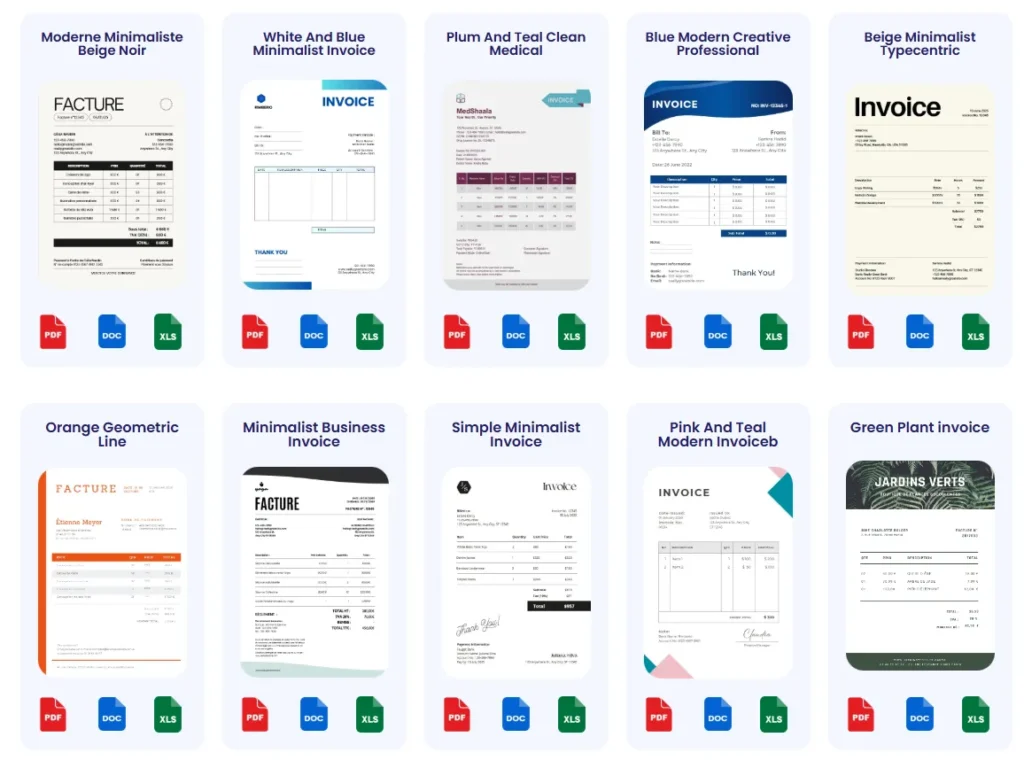
Personal invoice templates available for download offer a quick starting point for freelancers and self-employed workers. These templates come pre-formatted with essential fields, reducing setup time significantly. For instance, a freelance copywriter who switched from creating invoices from scratch to using a downloadable template cut invoice preparation by 50%. However, many templates lack automation, requiring manual input of numbers and dates—this tradeoff suits low-volume invoicing but can slow frequent users.
How to customize templates to fit individual needs
Customizing templates ensures they reflect your brand and service specifics. Simple adjustments like adding a logo, changing colors, or including personalized payment terms make invoices feel professional and trustworthy. A graphic designer added unique item descriptions and adjusted tax sections in a basic Excel template to match local regulations, preventing client questions. Carefully tailor templates to match your invoicing style while keeping layout clean and fields clear to avoid client confusion or disputes.
Using Probill’s invoice templates for faster setup
Probill offers invoice templates designed for easy customization combined with automation features. These templates streamline how to create an invoice as an individual or self-employed by auto-filling client data, auto-numbering invoices, and calculating totals instantly. Freelancers using Probill reported faster turnaround and fewer errors, enabling them to focus on work rather than paperwork. Accessible from any device, Probill templates sync with client management for recurring invoices, proving much faster than traditional downloads or manual spreadsheets. For a hands-on example, explore invoice templates curated specifically for personal invoice needs.
Choosing the right invoice template and customizing it to fit your workflow eliminates common invoicing bottlenecks, boosting professionalism and speeding payment cycles.
Frequently Asked Questions About Creating Personal Invoices
Can I create invoices without software?
Yes, invoices can be created manually using word processors or spreadsheets. However, this method increases the risk of errors in numbering, calculations, and formatting, especially when handling multiple clients or invoices. Many freelancers eventually switch to online invoice generators to reduce these mistakes and save time. Manual invoicing also lacks built-in payment tracking, which can lead to missed follow-ups and delayed payments.
Is it necessary to include taxes on a personal invoice?
Including taxes depends on your local regulations and whether your client requires it. Self-employed professionals must charge taxes like VAT or sales tax only if mandated by law or contract. Omitting required taxes can cause legal issues and payment delays. For example, a freelance developer who failed to add VAT to invoices faced tax penalties and client disputes. Always verify tax rules with authorities such as the IRS invoice requirements for U.S. freelancers or equivalent bodies elsewhere.
How to track payments effectively?
Effective payment tracking involves maintaining organized records of issued invoices and monitoring their status: sent, due, partially paid, or overdue. Manual tracking via spreadsheets is prone to errors and missed deadlines. Using invoicing tools or online generators can automate reminders and show real-time payment updates. For instance, a self-employed consultant reduced overdue invoices by 40% after adopting software with tracking features, ensuring more reliable cash flow and fewer collection hassles.
Try a Free Online Invoice Generator to Create Your Personal Invoice
Features overview of Probill invoice generator
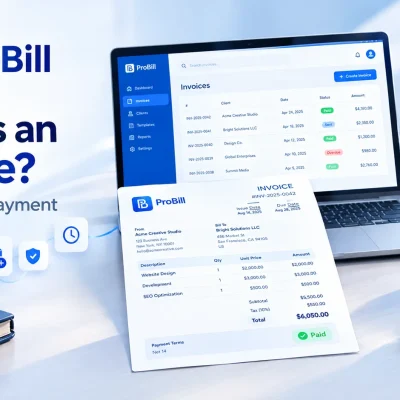
Probill’s online invoice generator offers streamlined features tailored for freelancers and self-employed professionals who want quick, accurate invoice creation. It automatically formats key fields like sender and client details, assigns sequential invoice numbers, and calculates totals including taxes. Users appreciate the instant PDF export, which enables professional invoices ready for email or print. Additionally, client profiles save time for recurring billing, reducing repeated data entry errors common in manual invoicing. Once complete, saving your invoice as a PDF makes it easy to share with the recipient.
Benefits of using mobile invoicing apps for self-employed professionals
Mobile invoicing apps like Probill provide the flexibility self-employed workers need to invoice anytime, anywhere. For example, a freelance photographer used to wait until returning to her office PC to send invoices now bills clients on-site immediately after shooting. This immediacy improves cash flow and reduces forgotten invoices. Mobile apps often include push notifications for payment reminders and status updates, helping users stay on top of receivables without manual tracking or spreadsheets.
Soft call-to-action: Try free invoice generator
To experience how effortless it can be to create personal invoices, try a free invoice generator online. These tools balance simplicity with essential features, helping you avoid the common pitfalls of manual invoice creation such as calculation errors, missing payment details, or duplicate numbers. A self-employed designer found that switching to an online generator cut invoice preparation time by 60%, enabling faster client billing without technical expertise. Start by visiting the free invoice generator page and see how it improves your billing process.
Hard call-to-action: Download Probill mobile app
For nonstop invoice management on the go, download the Probill mobile app. It supports seamless creation, editing, and sending of invoices directly from your smartphone or tablet. With integration of client management and payment tracking, Probill’s app is geared to anyone balancing multiple projects or clients without access to a desktop. Users report fewer payment delays due to instant invoice dispatch and automatic reminders. Visit the home page to get started and simplify your invoicing workflow today.